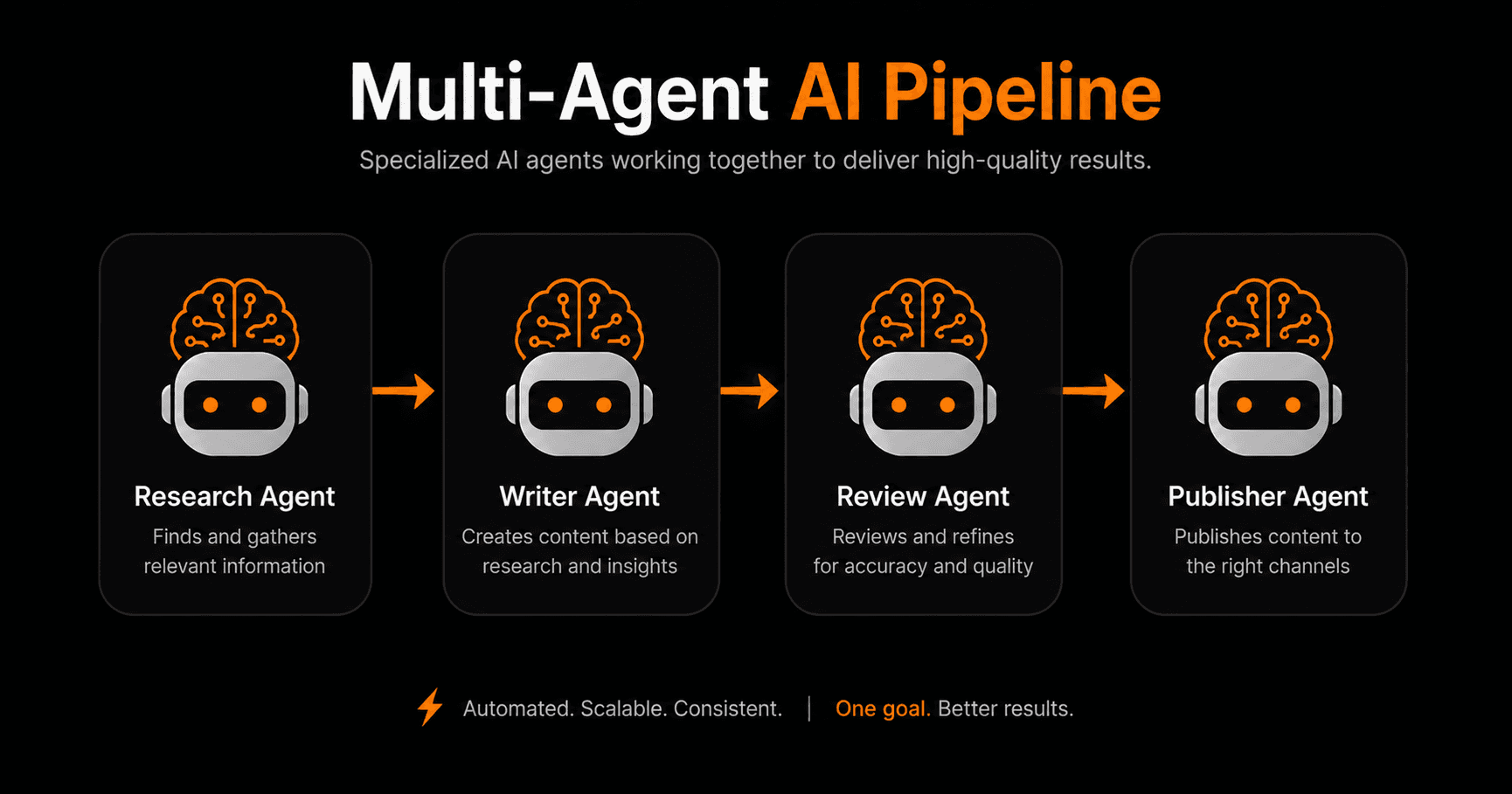
A single AI agent can handle a task. A multi-agent pipeline handles a process — end to end, with specialised agents handling each stage, checking each other's work, and passing results down the chain. Here's how to build one without writing code.
Why use multiple agents instead of one?
A single AI agent trying to do everything at once runs into problems: context gets long and unwieldy, accuracy degrades across many steps, and there's no built-in quality control. Multi-agent pipelines solve this by dividing complex tasks across specialised agents — each one focused on a single job it does well.
Think of it like a team. A researcher, a writer, a reviewer, and a publisher — each expert in their role, passing their work to the next person in the chain. That's a multi-agent pipeline.
How multi-agent pipelines work
Each agent in the pipeline:
- Receives input from the previous step (or from the trigger)
- Uses its tools and AI model to complete its specific task
- Outputs a result — text, data, a decision, a file
- Passes that result to the next agent in the chain
The pipeline can be linear (A → B → C → D) or branching (A → B and C in parallel → D merges results). Agents can also loop back — a reviewer can send work back to the writer if quality isn't met.
A real example: the lead processing pipeline
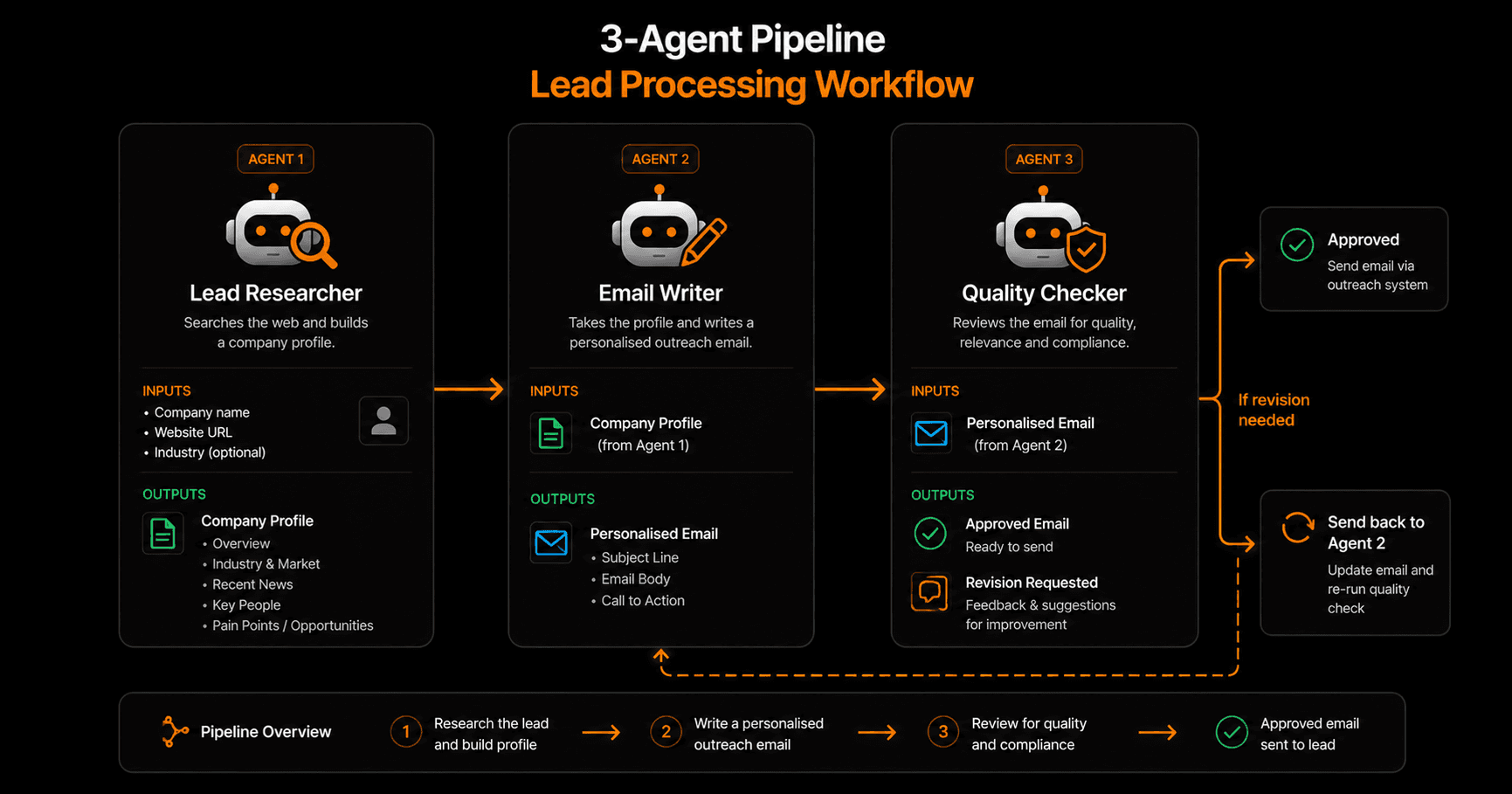
A 3-agent pipeline that researches a lead, writes a personalised email, and quality-checks it before sending.
Here's a concrete pipeline that runs automatically when a new lead comes in:
Agent 1 — Lead Researcher
Input: company name and website from the lead form
Tools: web search, LinkedIn lookup, news search
Output: structured company profile — industry, size, recent news, key people, potential pain points
Agent 2 — Email Writer
Input: company profile from Agent 1 + your product description
Tools: AI text generation
Output: personalised cold outreach email — subject line, opening that references something specific about the company, value proposition tied to their situation, clear CTA
Agent 3 — Quality Checker
Input: draft email from Agent 2
Tools: AI review, compliance rules
Output: approved email (or feedback sent back to Agent 2 for revision)
Checks: Does it mention a specific company detail? Is the CTA clear? Does it avoid spam trigger words? Is it under 150 words?
If the email passes all checks, it's sent to your outreach tool (or queued for human review). If it fails, Agent 2 revises based on the feedback and the checker runs again.
How to build this on Vendarwon Flow
- Open the workflow builder. Go to /create and describe the pipeline: “When a new lead comes in, research their company, write a personalised outreach email, review it for quality, and queue it for sending.”
- Review the generated workflow. Vendarwon Flow generates a multi-node workflow with AI nodes for each agent stage. Each node has its own prompt and output variable.
- Tune the prompts. Click into each AI node and adjust the prompts to match your tone, product, and ideal customer profile.
- Add the review loop. Add a condition node after the quality checker: if approved, continue; if revision needed, loop back to the writer node with the feedback as additional context.
- Connect your tools. Wire up the HTTP Request node for web search, the Gmail or Slack node for output delivery.
- Activate. The pipeline runs automatically for every new lead.
Other powerful multi-agent pipelines
Content production pipeline
Researcher → Outline Writer → Article Writer → Editor → SEO Optimizer → Publisher. Each agent handles one stage. A blog post that used to take 3 hours now takes 10 minutes.
Support ticket pipeline
Classifier → Knowledge Base Lookup → Response Writer → Confidence Checker → Router. Confident responses send automatically. Uncertain responses go to human review.
Competitive intelligence pipeline
Trigger: weekly schedule → Competitor Monitor (scrapes pricing pages and product updates) → Analyst (summarises changes and flags significant shifts) → Reporter (writes a summary and posts to Slack). Runs every Monday morning.
Tips for building reliable pipelines
- Keep each agent focused. One job per agent. Broad prompts produce inconsistent results.
- Use structured outputs. Ask agents to return JSON or clearly delimited sections — makes passing data between agents reliable.
- Add human checkpoints for high-stakes steps. Use an approval node before any irreversible action (sending emails, posting content, updating records).
- Test with edge cases. Run the pipeline with unusual inputs to see where it breaks. Fix prompts before activating at scale.
- Log everything. Vendarwon Flow logs each execution step — use this to debug and improve agent prompts over time.
Frequently asked questions
How many agents can I chain together?
On Vendarwon Flow, Growth plan supports up to 2 agents per pipeline and Scale plan supports up to 10. For most use cases, 3–5 agents covers the full pipeline.
Does each agent use a separate AI model?
Each AI node in Vendarwon Flow uses Gemini 2.5 Flash by default. You can configure different models per node on the Scale plan — useful for using a faster model for simple tasks and a more capable one for complex reasoning steps.
What happens if one agent fails?
You can add error branch edges from any node — if it fails, the pipeline routes to a fallback action (e.g., alert a human via Slack) instead of failing silently.
Can agents share memory across runs?
Yes on the Scale plan — persistent agent memory lets agents remember context from previous pipeline runs, enabling learning over time (e.g., “this company has already been contacted”).