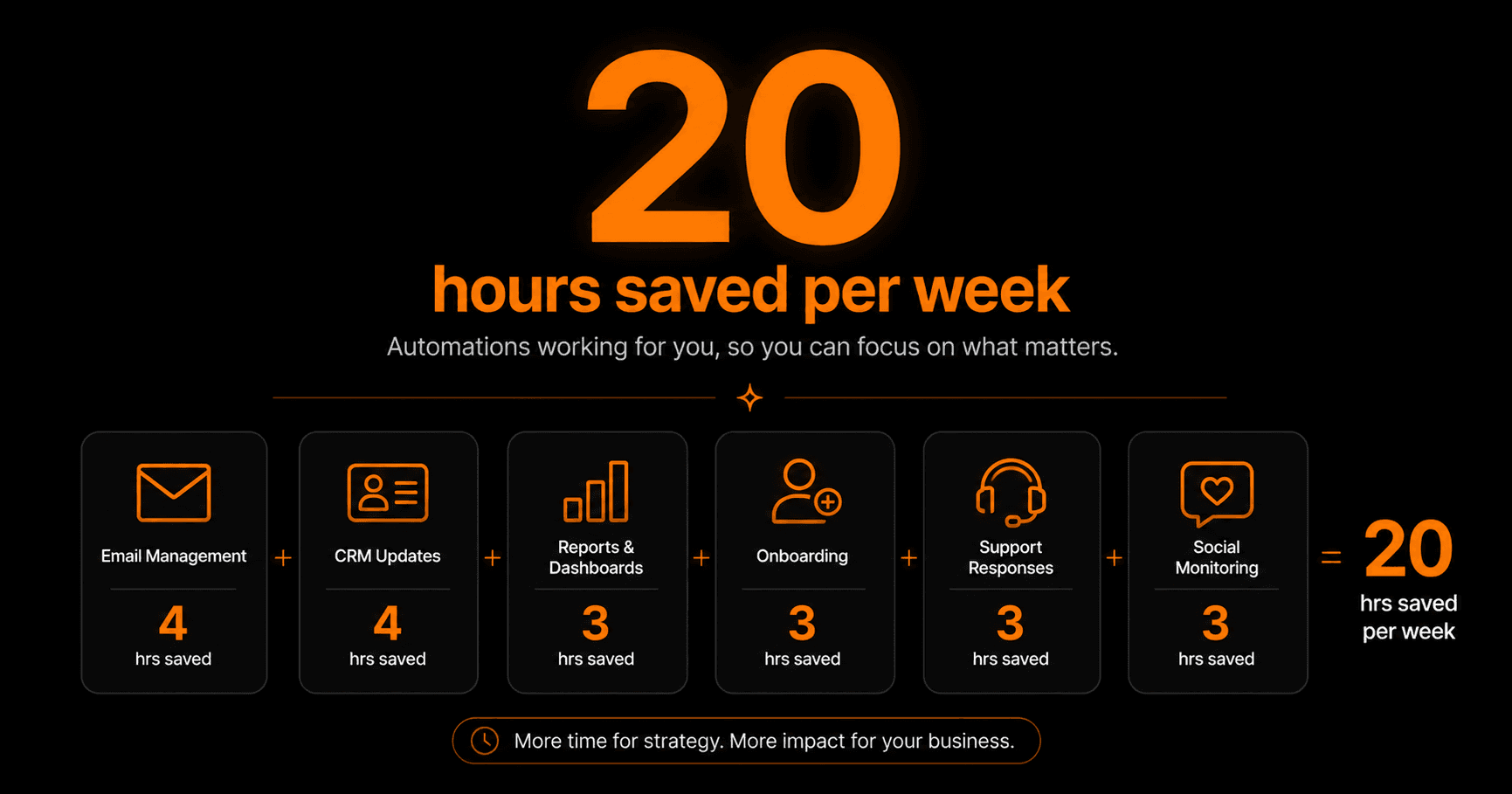
This is a real breakdown — not a theoretical list. These are the 6 automations we built on Vendarwon Flow that together eliminated over 20 hours of manual work every week. Each one took under 30 minutes to set up.
The before picture
Before automation, a typical week looked like this: manually checking and triaging emails every morning, copying lead details into the CRM after every inquiry, pulling numbers from three tools into a Friday report, onboarding new clients by sending welcome emails and creating project folders one by one, reading and routing support tickets, and manually posting the same content across platforms.
None of these tasks required judgment. They were all execution — the same steps, every time, for every person or event. Perfect candidates for automation.
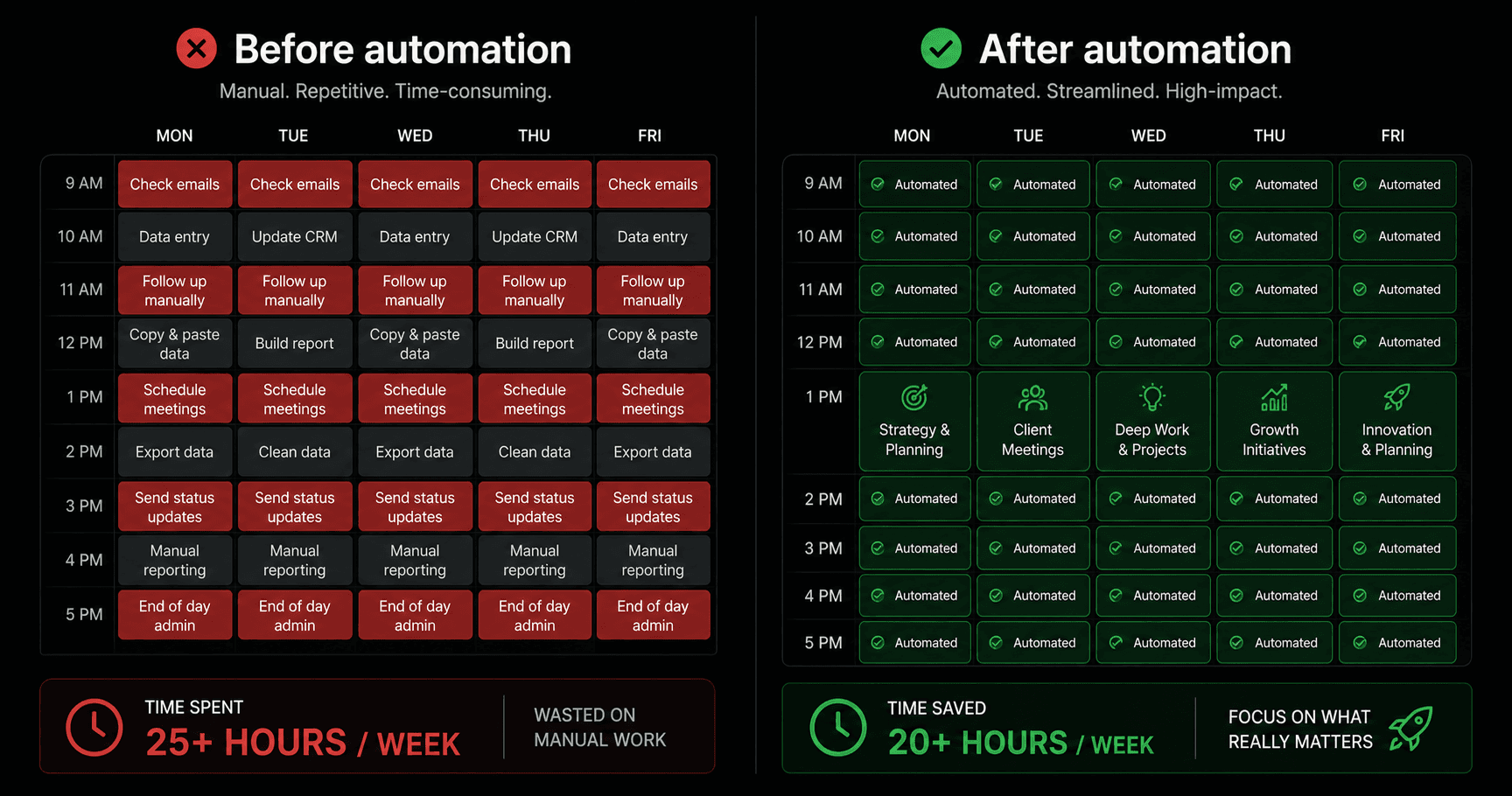
Before: 25+ hours on manual work. After: 20+ hours returned to work that actually matters.
Automation 1 — Email triage (4 hours saved)
The problem: Spending 45–60 minutes every morning reading, sorting, and forwarding emails to the right people.
The automation: Every incoming email is classified by AI — sales inquiry, support request, partnership, newsletter, or other. Each category routes automatically: sales to #sales in Slack, support creates a ticket, newsletters get archived. Only emails requiring genuine human judgment reach the inbox.
Time saved: ~4 hours/week. The inbox now contains only emails that need a real response.
Automation 2 — CRM updates (4 hours saved)
The problem: After every sales call, spending 15–20 minutes logging notes, updating deal stage, and scheduling follow-up tasks in HubSpot.
The automation: When a calendar event with a prospect ends, AI reads the meeting notes (pulled from the calendar description or a linked document), summarises key points, updates the HubSpot deal stage, and creates a follow-up task with a suggested due date.
Time saved: ~4 hours/week across 12–15 calls.
Automation 3 — Weekly reports (3 hours saved)
The problem: Every Friday, manually pulling metrics from Google Sheets, HubSpot, and the email platform into a summary report, then formatting and emailing it to the team.
The automation:A scheduled workflow fires every Friday at 8am. It pulls the week's data from each source, passes it to an AI node that writes a formatted summary, and emails it to the team automatically. Done before anyone arrives at their desk.
Time saved: ~3 hours/week.
Automation 4 — Client onboarding (3 hours saved)
The problem: When a new client signed, manually sending a welcome email, creating a Notion workspace, setting up a project in the PM tool, and scheduling the kickoff call.
The automation:When a new deal closes in HubSpot (stage = “Closed Won”), a workflow fires: welcome email sent, Notion page created from template, project created in ClickUp with standard tasks, kickoff call invite sent via Google Calendar.
Time saved: ~3 hours/week across 3–4 new clients.
Automation 5 — Support routing (3 hours saved)
The problem: Reading every support email, deciding who should handle it, forwarding it manually, and following up to make sure it was handled.
The automation: Support emails are classified by AI into categories (billing, technical, account, general). Each category routes to the right person via Slack DM with the email contents. Billing issues also create a task in ClickUp. No manual reading or forwarding.
Time saved: ~3 hours/week.
Automation 6 — Social monitoring (3 hours saved)
The problem: Manually checking brand mentions, competitor updates, and relevant industry posts across platforms each week.
The automation: A scheduled workflow runs twice weekly, searches for brand mentions and competitor news via HTTP Request to monitoring APIs, passes results to an AI node that summarises significant findings, and posts a digest to the #marketing Slack channel.
Time saved: ~3 hours/week.
Total: 20 hours back every week
Email triage (4h) + CRM updates (4h) + reports (3h) + onboarding (3h) + support routing (3h) + social monitoring (3h) = 20 hours per week.
At a conservative $50/hour, that's $1,000 of productive time returned every week — or $52,000 per year. The total setup time for all six automations was under 3 hours. The ROI was positive in the first day.
How to replicate this
- List every task you do on repeat each week — even the small ones
- Identify which ones don't require judgment — just execution
- Build the highest-time-cost automation first to get a quick win
- Measure the time saved after one week to build confidence
- Expand from there — each automation you build makes you faster at the next one
Frequently asked questions
How long did each automation take to build?
The email triage workflow took about 20 minutes. The CRM update workflow took 30 minutes (mostly tuning the AI prompt). The report automation took 25 minutes. Total build time for all six: under 3 hours.
Did anything break after launching?
The CRM update automation needed one prompt adjustment in the first week — the AI was occasionally summarising the wrong meeting when multiple events were close together. A small tweak to the trigger filter fixed it. Everything else ran without issues from day one.
Which automation had the biggest impact?
Email triage — not because of hours saved, but because of focus. Not starting the day with inbox sorting changed how the entire morning felt. The cognitive load reduction was bigger than the time saving.
Can I build these same automations on the free plan?
The simpler ones (report, onboarding, social monitoring) run comfortably within the free plan's 100 executions/month. The high-frequency ones (email triage, CRM updates) benefit from the Starter plan's 2,000 executions at $9/month.