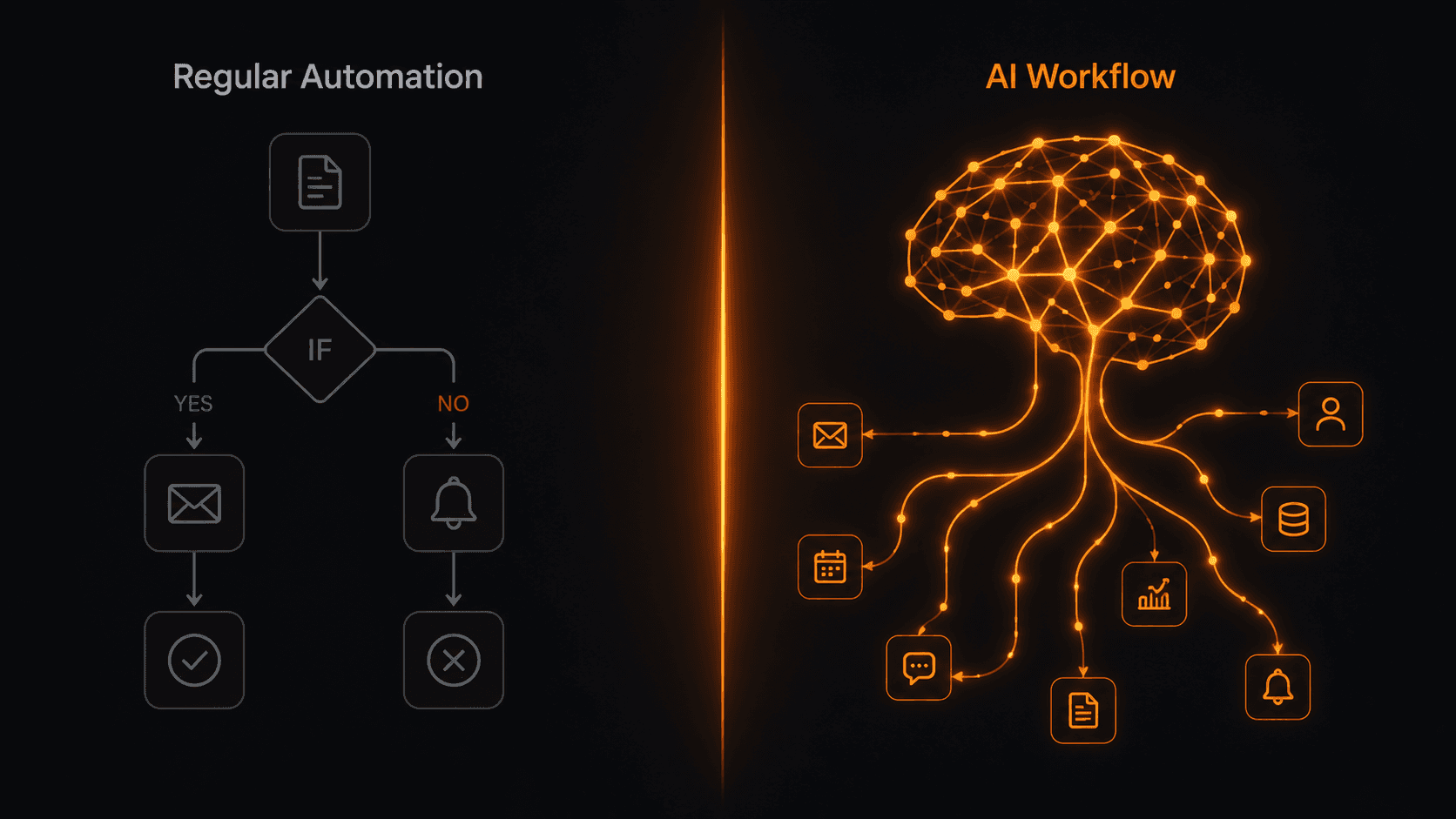
Regular automation follows rules. AI workflows make decisions. That difference sounds small but it changes everything — from how you build automations to what problems they can actually solve.
What is a regular automation?
Traditional workflow automation is purely rule-based. You define exact conditions and exact actions. If X happens, do Y. Always. Every time. No exceptions unless you write them in yourself.
This works well for predictable, structured tasks. New row in spreadsheet → send email. New Shopify order → notify Slack. Payment received → mark invoice paid. These are deterministic — the same input always produces the same output.
The limitation: the real world isn't always structured. Emails aren't uniform. Customer requests vary. Leads have different levels of intent. Rule-based automation struggles when it needs to understand context or make judgment calls.
What is an AI workflow?
An AI workflow uses a large language model (like Gemini or GPT-4) as one or more nodes inside the automation. Instead of following a fixed rule, that node reads, understands, and generates a response — then passes the result to the next step.
This means your workflow can now:
- Read an email and decide if it's a complaint, a sales inquiry, or spam
- Score a lead from 1–10 based on the content of their message
- Write a personalised reply tailored to each person
- Summarise a long document into three bullet points
- Extract structured data (name, company, budget) from unstructured text
- Translate content into another language on the fly
The AI node outputs a value — a score, a category, a piece of text — and the rest of the workflow uses that output to decide what to do next.
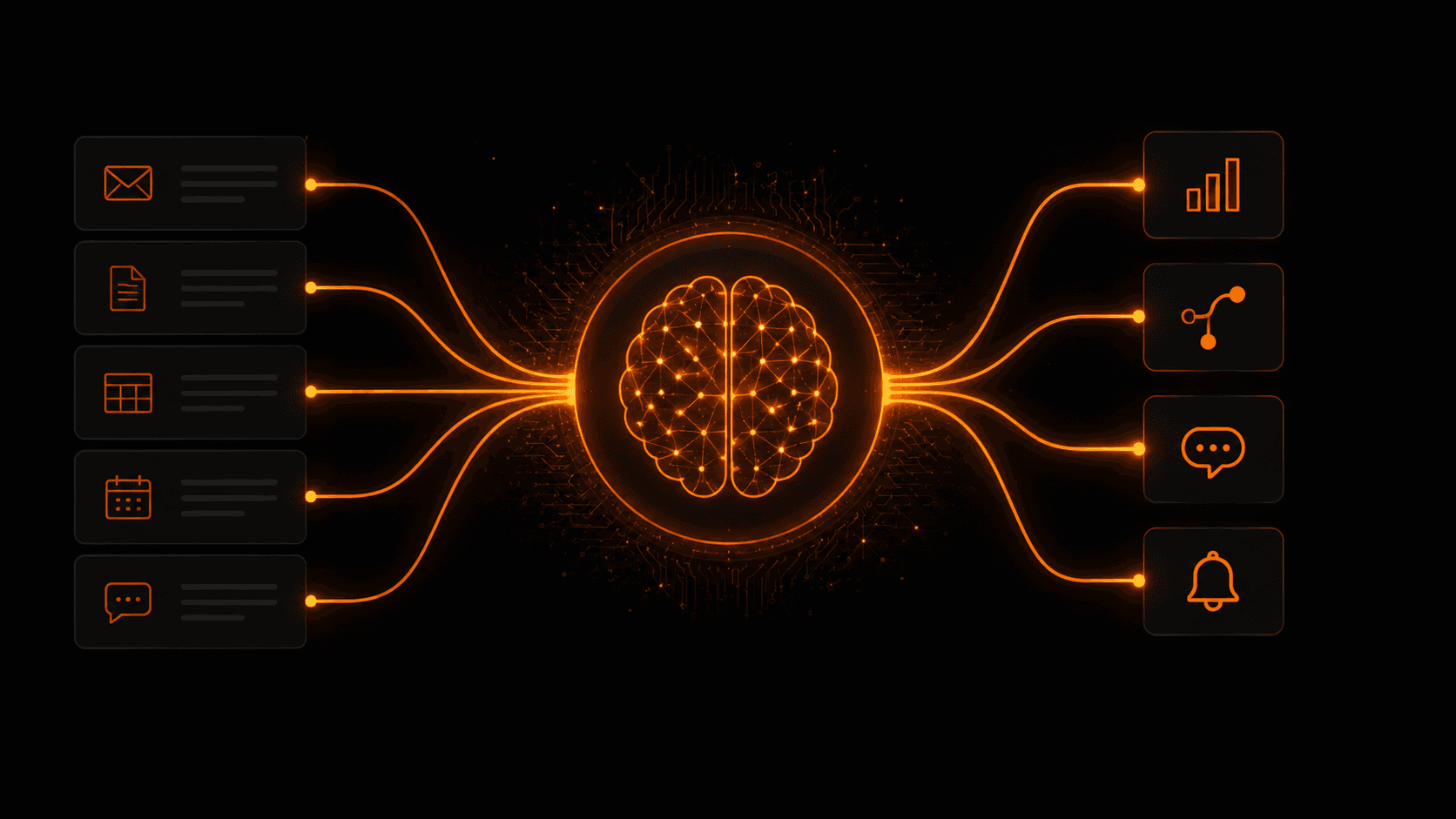
An AI node takes unstructured inputs and produces structured outputs that drive the rest of the workflow.
A real example: lead qualification
Here's what the same task looks like with and without AI:
Without AI (rule-based)
Trigger: new contact form submission. Action: add to CRM. That's it. You get every lead regardless of quality, and someone has to manually read each one and decide if it's worth following up.
With AI workflow
Trigger: new contact form submission. AI node reads the message and scores the lead 1–10 based on company size, intent signals, and budget hints. If score > 7: alert sales in Slack, create high-priority CRM deal, send personalised follow-up email. If score < 7: add to nurture sequence. If score < 3: tag as low quality, no action.
Same trigger. Completely different outcomes based on the actual content — not just whether a form was submitted.
Key differences at a glance
- Rule-based: structured data only — AI workflows handle unstructured text, emails, messages
- Rule-based: binary logic — AI workflows make nuanced judgments on a spectrum
- Rule-based: you define every case — AI workflows handle cases you didn't predict
- Rule-based: outputs are fixed — AI workflows generate dynamic, contextual outputs
- Rule-based: faster and cheaper per run — AI workflows cost slightly more per execution but handle far more complexity
When to use each
Use rule-based automation for structured, predictable tasks where the same input always means the same thing. New order, scheduled report, form submission with known fields.
Use AI workflows when the task involves reading and understanding text, making a judgment call, generating content, or routing based on meaning rather than exact values. Email triage, lead scoring, support classification, content generation.
The best workflows often combine both — AI nodes for the intelligent parts, rule-based logic for the structured parts.
Building AI workflows on Vendarwon Flow
Every workflow on Vendarwon Flow can include AI nodes powered by Gemini 2.5 Flash. You give the node a prompt — “Score this lead 1–10 based on the following message” — set an output variable name, and the result flows into the next steps automatically.
You can chain multiple AI nodes together, use their outputs in conditions, and feed them into any of the 42+ integrations. The whole thing is described in plain English and built by AI — so you're using AI to build AI workflows.
Frequently asked questions
Do AI workflows cost more to run?
Each AI node call uses a small amount of your execution quota. On Vendarwon Flow, all plans include AI nodes — they count as one execution step like any other action.
Which AI model powers the workflow nodes?
Vendarwon Flow uses Gemini 2.5 Flash for workflow AI nodes — fast, accurate, and cost-efficient for high-volume automations.
Can I use my own AI API key?
Yes — on the Scale plan you can connect your own Gemini or OpenAI API key via the Gemini integration and use it inside workflow AI nodes.
How accurate are AI nodes?
For classification, scoring, and extraction tasks on well-written prompts, accuracy is typically 90–95%+. You can always add a human approval node for cases where the AI is uncertain.