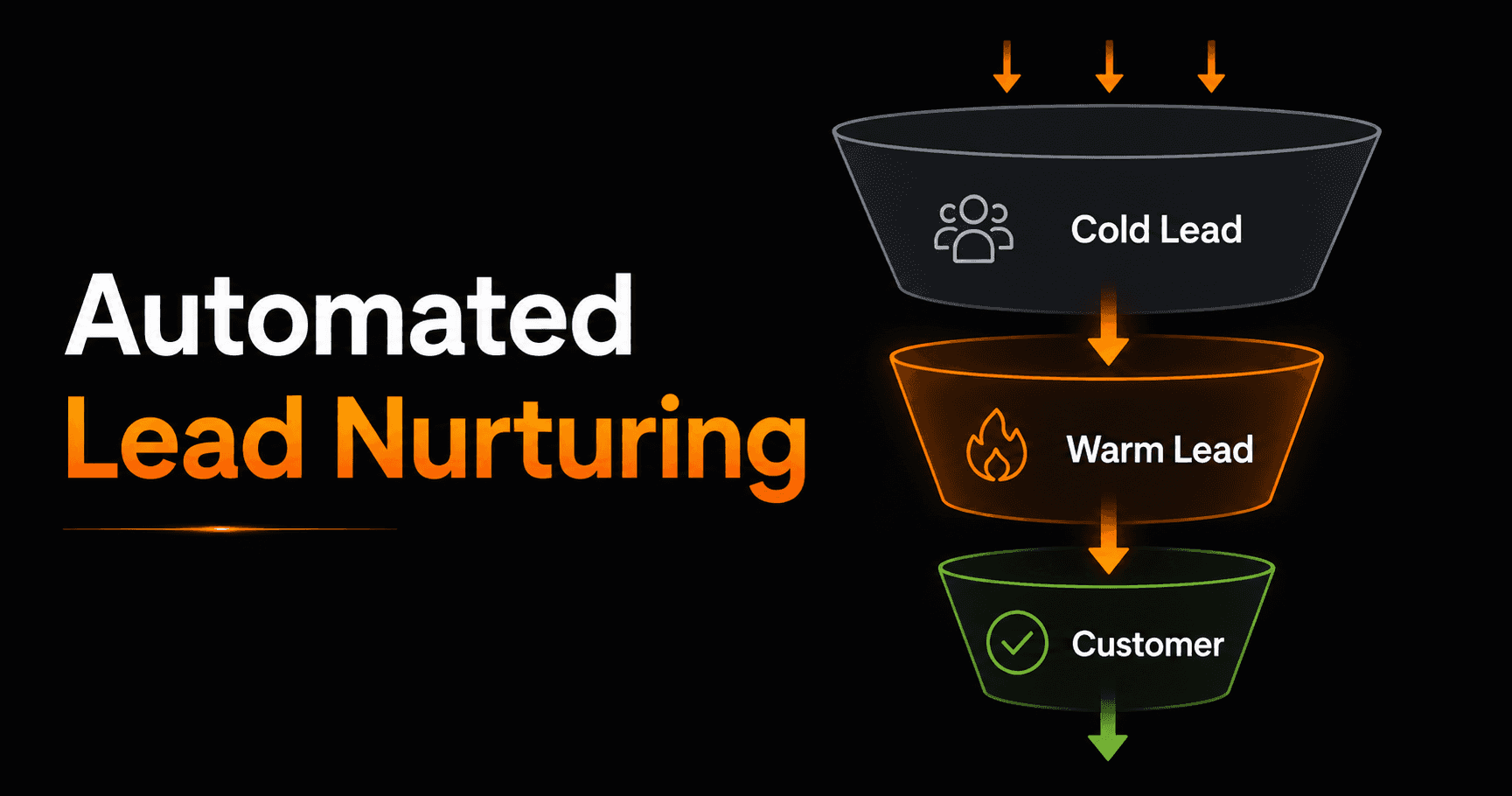
Most leads don't buy the first time they hear about you. Studies consistently show it takes 5–12 touchpoints before a prospect converts. An automated lead nurturing sequence delivers those touchpoints without you lifting a finger — every new lead gets the right message at the right time, automatically.
What is lead nurturing?
Lead nurturing is the process of building a relationship with potential customers over time — sending them useful content, case studies, and offers that move them from “mildly interested” to “ready to buy.” Done manually, it's exhausting and inconsistent. Done with automation, it runs 24/7 for every lead simultaneously.
A nurturing sequence is a series of pre-written emails (or messages) triggered when someone takes an action — downloads a guide, signs up for a free trial, fills out a contact form. Each message is spaced days or weeks apart and designed to address objections, build trust, and move the lead closer to a purchase.
The anatomy of a high-converting sequence
The best nurturing sequences follow a predictable arc. Here's the structure that works across industries:
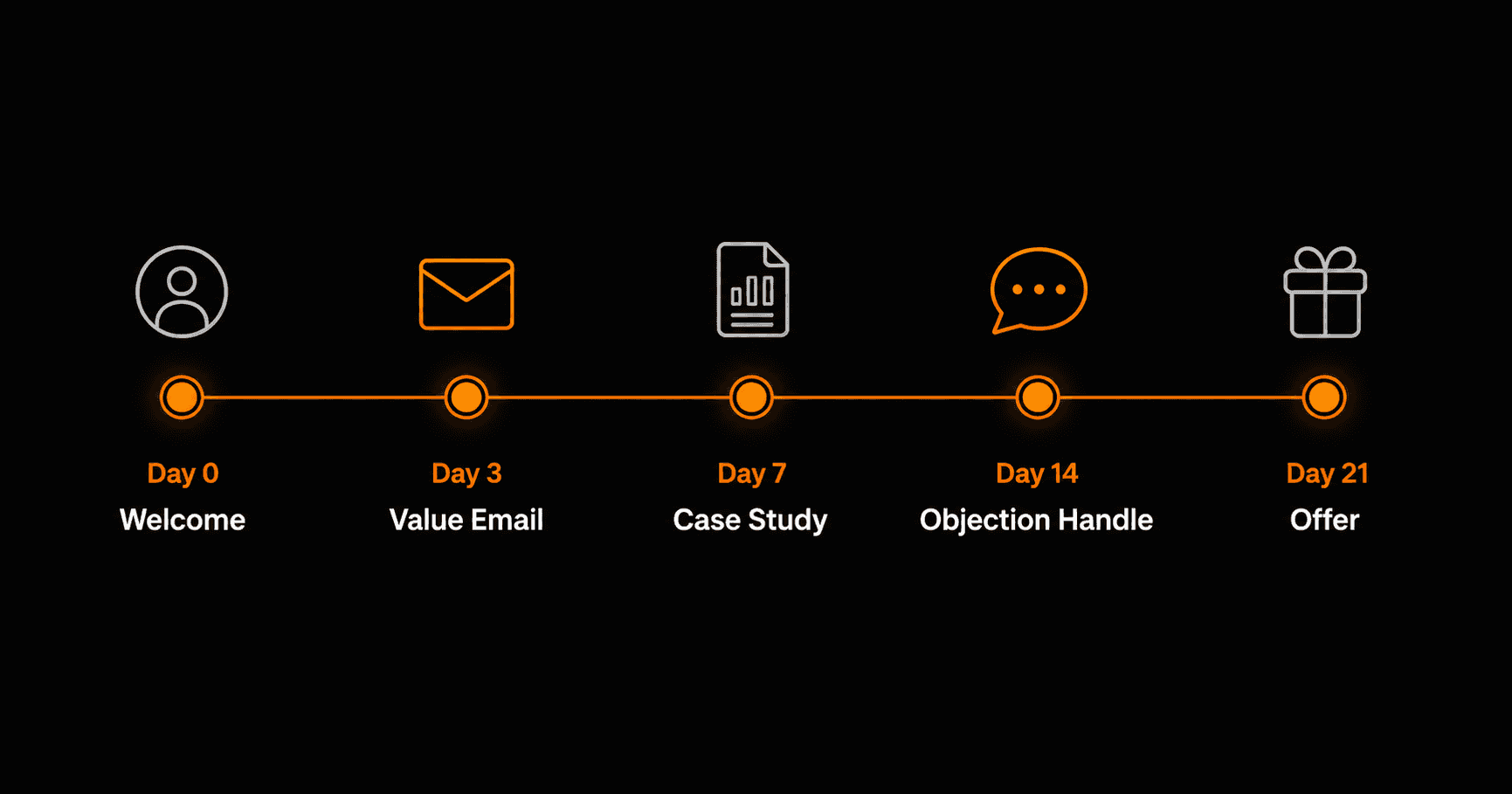
A 21-day nurturing sequence that moves cold leads to paying customers
Day 0 — Welcome email
Send immediately when the lead signs up. Thank them, deliver whatever they signed up for (free resource, trial access, discount), and set expectations for what's coming. Keep it short. This email has the highest open rate of any in your sequence — don't waste it with a wall of text.
Day 3 — Value email
No selling here. Send something genuinely useful — a tip, a short guide, a how-to that solves a common problem your leads face. This builds trust and establishes you as someone worth listening to. If they don't open this one, adjust the subject line.
Day 7 — Case study or social proof
Show results. A customer story, a before-and-after, a specific number (“How Acme went from 2 hours to 10 minutes with X”). People buy because other people like them bought and got results. Make that visible.
Day 14 — Objection handling
By day 14, leads who haven't converted usually have a reason. Address the most common ones directly: “Is it complicated to set up?” “What if it doesn't work for my type of business?” “How is this different from [competitor]?” Answer these objections before they're asked.
Day 21 — Offer email
Now you ask for the sale. Include a clear offer — free trial, discount, consultation, demo — with a deadline to create urgency. Keep it direct: one CTA, one link, one action you want them to take.
Branching: the difference between good and great sequences
A basic sequence sends the same emails to everyone. A great sequence branches based on behavior. Examples:
- Lead clicks the pricing link in email 3 → skip nurture emails, send a sales-focused offer immediately
- Lead opens every email but doesn't click → send a re-engagement email asking what they need
- Lead unsubscribes → remove from sequence, add to a suppression list, stop all contact
- Lead books a call → mark as qualified, move to CRM, remove from email sequence
Branching keeps your sequence relevant and prevents you from spamming a lead who's already ready to buy with more nurture content they don't need.
How to build this in Vendarwon Flow
Here's how to set up the complete sequence — no code required:
- Set your trigger. Choose what starts the sequence: webhook (form submission), new HubSpot contact, new Mailchimp subscriber, new Airtable row — whatever your lead capture tool uses.
- Connect your email tool. Vendarwon Flow integrates with Mailchimp, ConvertKit, ActiveCampaign, Klaviyo, Beehiiv, Resend, and SendGrid. Pick yours in the Integrations tab.
- Describe the sequence in plain English. Type something like: “When a new lead signs up, immediately send the welcome email. Wait 3 days, then send the value email. Wait 4 more days, then send the case study email. Wait 7 more days, then send the objection email. Wait 7 more days, then send the offer email with a 48-hour discount.”
- Add your conditions. Tell the workflow: “If they click the offer link in any email, add them to HubSpot as a hot lead and notify me on Slack.”
- Activate and monitor. Turn the workflow on. Check open rates after the first 20 sends — if under 25%, improve your subject lines. Check click rates after 50 sends — if under 2%, improve your CTAs.
Metrics to track
- Open rate per email: Day 0 should be 50%+. Day 7 should be 30%+. Below these? Fix the subject line first.
- Click-through rate: Aim for 3–8% per email. Below 2% means the content isn't connecting with the offer.
- Sequence completion rate: What % of leads receive all 5 emails without unsubscribing? 60%+ is healthy.
- Conversion rate: What % of leads who enter the sequence eventually buy? Even 2–3% on a large list compounds into significant revenue.
Common mistakes to avoid
- Sending too often. More than one email per 3 days feels pushy. Give leads time to process and act.
- Pitching too early. If email 2 is already selling, you haven't built enough trust. Earn the right to ask first.
- No personalization. Use the lead's name, reference what they signed up for, and segment by how they found you. Generic emails underperform by 30–40%.
- Not cleaning the list. Leads who haven't opened in 60 days should go through a re-engagement sequence or be removed. Dead weight kills deliverability.
- Forgetting mobile. Over 60% of emails are opened on phones. Test your sequence on mobile before sending to anyone.
Frequently asked questions
How long should a nurturing sequence be?
For most businesses, 4–6 emails over 3–4 weeks is the sweet spot. Long enough to build a relationship, short enough to not wear out your welcome. High-ticket or complex products may benefit from 8–12 emails over 6–8 weeks.
Should I use email or SMS for nurturing?
Email is the default for most B2B and e-commerce nurturing. SMS works well as a supplement for high-urgency messages (sale ending in 2 hours) but should not replace email — it's too intrusive for regular nurturing content.
What if someone is already a customer?
Segment them out of lead nurture sequences immediately. Instead, enroll them in a post-purchase onboarding sequence that helps them succeed with your product and increases retention and upsell potential.
How do I handle GDPR and CAN-SPAM?
Only email people who explicitly opted in. Include an unsubscribe link in every email. Honor unsubscribes within 10 business days (CAN-SPAM) or immediately (GDPR best practice). Never add people to a list without their consent.