Maintaining an active presence across LinkedIn, Twitter/X, Instagram, and Facebook is a full-time job — unless you automate it. Write once, let your workflow adapt the content to each platform's format and tone, and publish everywhere simultaneously (or on a staggered schedule). No scheduling tools needed, no manual reposts, no platforms left dark because you ran out of time.
Why “Write Once, Publish Everywhere” Actually Works
The hesitation around social media automation is usually about quality — the fear that automated posts will feel robotic or mismatched to the platform. That fear is valid for naive automation (literally copying the same text across every platform). It's not valid for AI-adapted content.
Your workflow takes a single piece of source content — a blog post, a customer win, a product update — and passes it to an AI model with a platform-specific prompt for each channel: “Write a professional LinkedIn post about [TOPIC], 200 words, no hashtags” vs “Write a punchy 280-character tweet about [TOPIC] with 2 relevant hashtags”. The result is platform-native content generated from a single input, adapted correctly for each audience.
Building the Source Content Trigger
Your automation needs a consistent trigger for when new content is ready to publish. Common triggers include: a new blog post published on your website (RSS feed or CMS webhook), a new row added to a “Content Queue” Airtable base, a webhook from your content management workflow, or a scheduled trigger that fires at the times you want to post.
The trigger payload should include the core content (headline, key message, URL if applicable), any specified imagery, and the target platforms for this particular piece. Some content is right for LinkedIn but not Instagram; your trigger data should specify which platforms to post to.
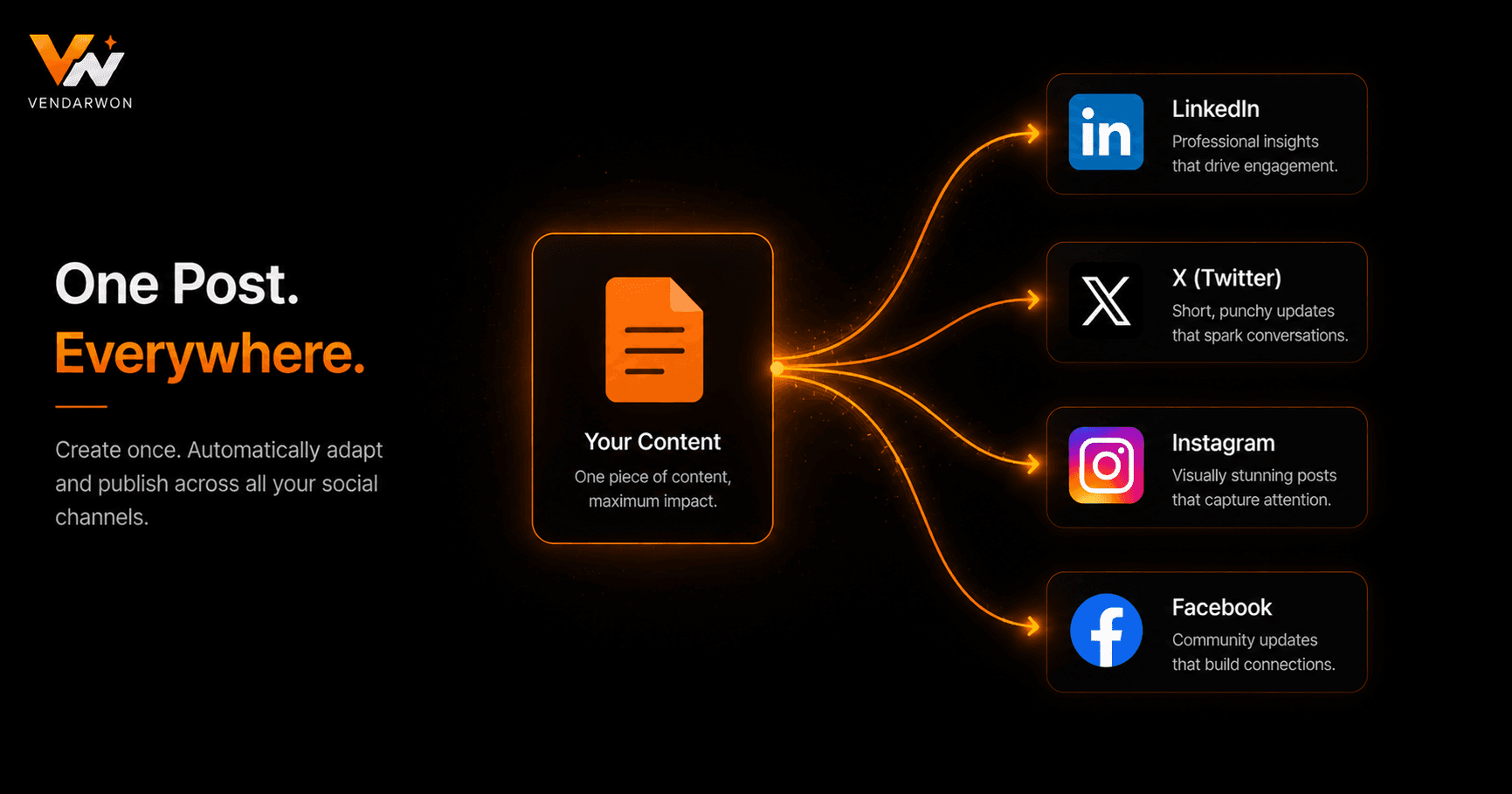
One content source branching to platform-specific AI adaptation and scheduled publishing across LinkedIn, Twitter/X, Instagram, and Facebook
Platform-Specific API Requirements
Each social platform has its own API for publishing. LinkedIn's API supports text posts, image posts, and article shares via the UGC Posts endpoint. Twitter/X API v2 supports tweet creation including media uploads. Meta's Graph API handles Facebook page posts and Instagram Business posts. Each requires separate OAuth authentication and has its own rate limits and content policies.
For most small-to-medium businesses, using a social media management platform (Buffer, Hootsuite, Publer) as the publishing layer is more practical than direct API integration. These platforms have existing API abstractions that simplify the publishing step. Your automation generates the platform-adapted content and calls the management platform's API to schedule or publish.
Scheduling and Timing Optimisation
Not all platforms have the same optimal posting times, and optimal times vary by audience. LinkedIn engagement peaks on weekday mornings (7–9 AM) and midday (11 AM–1 PM). Twitter/X is active around midday and early evening. Instagram peaks in the late morning and evening. Your automation can stagger posts across these windows: LinkedIn posts at 8 AM, Twitter at 12 PM, Instagram at 7 PM — all triggered by the same content input.
Build a time offset into your workflow using delay steps. After generating and posting the LinkedIn content, wait until the Instagram optimal window before posting there. This creates a naturally staggered publishing pattern without any manual scheduling effort.
Handling Images and Media
Text-only posts significantly underperform posts with images on most platforms. Your automation should handle image attachment where available. If your source content includes an image URL (from a blog post hero image or an Airtable attachment), pass it to each platform's media upload API before creating the post. For content without images, your workflow can optionally generate a simple branded graphic using an image generation API or link to a default brand image.
Monitoring Engagement and Feeding Back to Content Strategy
Close the loop by automating the analytics collection. A weekly scheduled workflow queries the engagement metrics (likes, comments, shares, impressions) from each platform's API, appends them to a Google Sheet, and sends a digest to Slack or email. This data shows you which content types and topics perform best, informing future content creation without manual reporting effort.
FAQ
Can I fully automate posting without any human review?
Yes, once you've validated the AI output quality over 2–3 weeks. Start with a review step (automation creates drafts, you approve before publishing), then remove the review step once you're confident in the consistency of the AI-adapted content.
Is this against the terms of service of LinkedIn, Twitter/X, etc.?
Automated posting via official APIs is permitted by all major platforms as long as you're not spamming or violating content policies. Always use the official API (not browser automation or scraping), post content that adds genuine value, and respect rate limits.
What if a post needs to be time-sensitive or reactive to news?
Keep a manual fast-track option: a webhook endpoint that immediately generates and publishes a post from a simple text input without going through the full content queue. This lets you post reactively when needed while the scheduled automation handles your regular content calendar.
How do I handle repurposing old content?
Add a “content archive” step that logs every published post with its performance data. A separate scheduled workflow can periodically select top-performing older posts, generate new variations of them with the AI, and queue them for re-publication — creating a content recycling loop that extracts more value from your existing library.