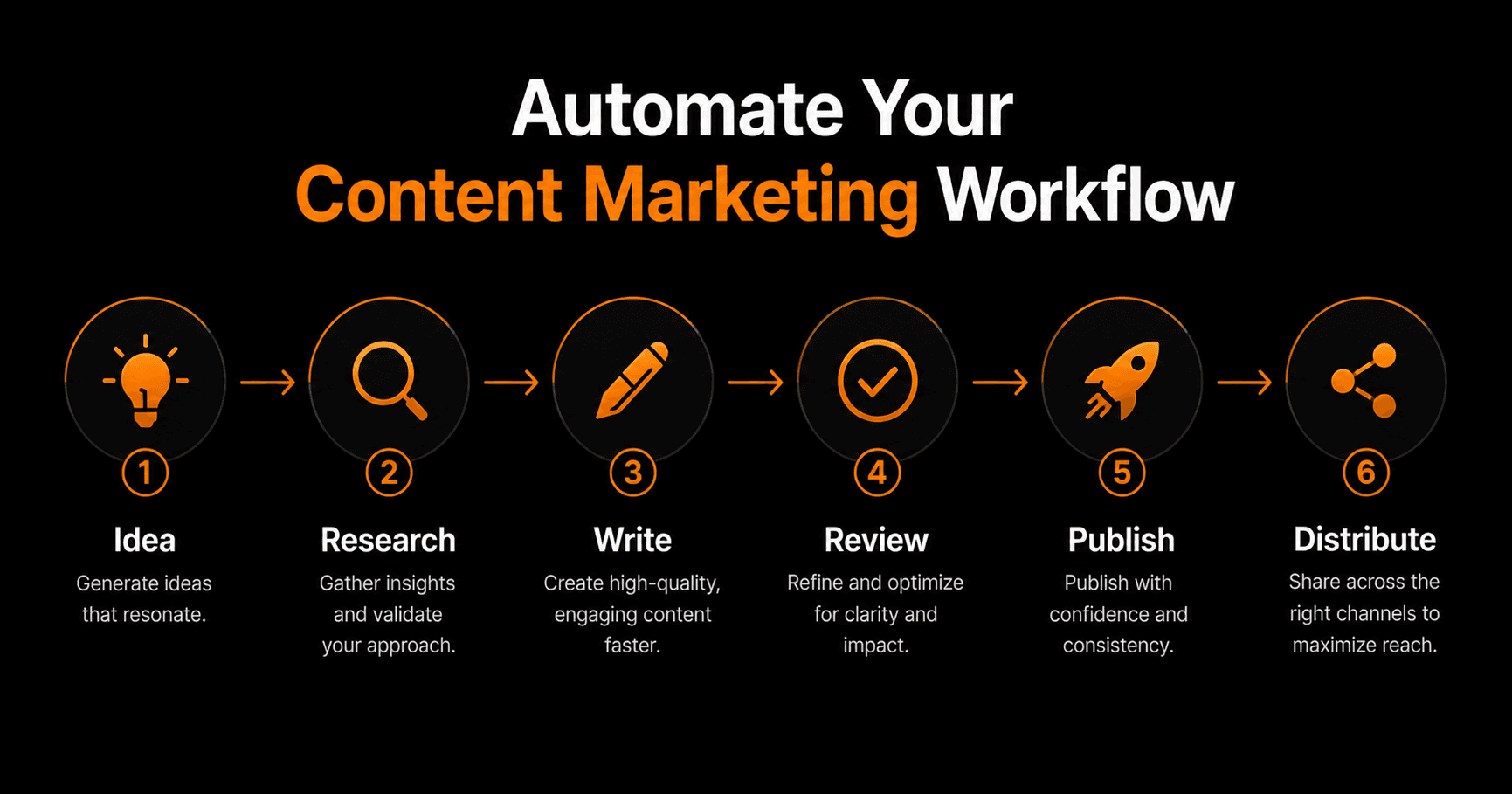
Content marketing works — but the production process is slow, manual, and fragmented. Ideas get stuck in a doc somewhere. Research takes hours. Publishing requires jumping between five tools. Here's how to build a content pipeline that moves from idea to published post with minimal human intervention.
The content marketing bottleneck
Most content teams don't have a creativity problem — they have a production problem. The ideas exist. The strategy is clear. But execution gets bogged down in manual steps: researching topics, briefing writers, editing drafts, formatting for each platform, scheduling, and distributing.
Automation doesn't replace the creative work. It removes the friction around it — so more ideas actually make it to publication, faster.
The 6-stage automated content pipeline
Stage 1 — Idea generation and validation
A scheduled workflow runs weekly and pulls trending topics from your niche — search trends, competitor content, social conversations, and questions from your support inbox. An AI node ranks them by relevance and estimated search value and posts the top 5 ideas to your #content Slack channel for review.
You approve one idea per week. That approval triggers the rest of the pipeline automatically.
Stage 2 — Research
Once an idea is approved, a research agent searches the web for the top 10 articles on the topic, extracts key points, identifies gaps in existing content, and compiles a structured research brief — target audience, key questions to answer, competing angles, and suggested structure.
This used to take 2–3 hours. The agent does it in under 5 minutes.
Stage 3 — First draft
The research brief flows into a writing AI node. The prompt includes your brand voice guidelines, the target keyword, the intended audience, and the research brief. The AI produces a full first draft — typically 1,200–2,000 words — ready for human review.
Quality varies by topic complexity, but for most informational content the draft requires 20–30 minutes of editing rather than 2–3 hours of writing from scratch.
Stage 4 — Review and approval
The draft is sent to a human editor via an approval node — either a Slack message with a link to review, or an email. The editor can approve, request revisions, or reject. Only approved content moves forward. Revision requests include feedback that flows back to the writing node for a second attempt.
Stage 5 — Publish
Approved content is automatically formatted and published to your CMS (WordPress, Notion, or wherever you publish). SEO metadata is generated by an AI node — title tag, meta description, slug. Featured image prompt is generated and queued.
Stage 6 — Distribute
Publication triggers a distribution workflow: a social post is generated for LinkedIn and Twitter/X, an email newsletter teaser is drafted and scheduled in your email platform, and the post is logged to your content tracking sheet with publish date, topic, and URL.
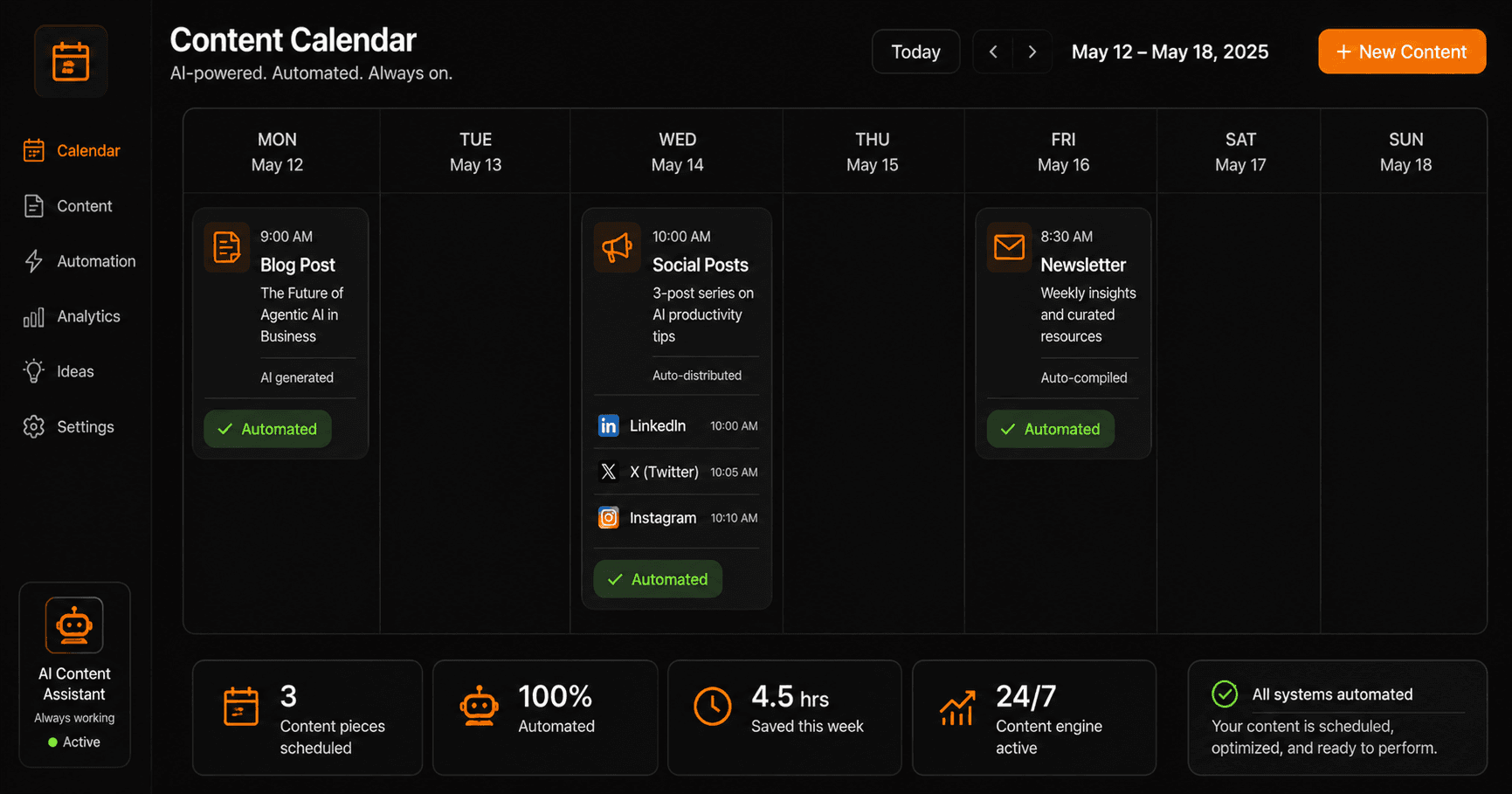
A fully automated content calendar — blog posts, social, and newsletters all running on schedule.
What you still need humans for
Automation handles production. Humans handle strategy and quality:
- Approving the weekly idea shortlist (5 minutes)
- Editing the first draft (20–30 minutes per post)
- Reviewing social copy before it goes live (optional — most teams automate this entirely after a quality calibration period)
- Strategic decisions: which topics to prioritise, which audiences to target, when to pivot the content strategy
A content pipeline that used to require 8–10 hours per post now requires 30–45 minutes of human attention. Output capacity triples without adding headcount.
Building this on Vendarwon Flow
The pipeline is built as a series of connected workflows:
- A weekly scheduled trigger fires the idea generation workflow
- A Slack approval fires the research + drafting pipeline
- An approval node gates publication
- A webhook from your CMS triggers the distribution workflow
Each workflow is described in plain English and built by AI. You connect Gmail, Slack, Google Sheets, and your CMS in the Integrations section — each takes under 2 minutes to authorise.
Frequently asked questions
Will AI-written content hurt my SEO?
Google ranks content by quality and helpfulness, not by how it was produced. AI-generated first drafts that are human-edited for accuracy, depth, and original perspective perform well in search. Thin, unedited AI content does not — which is why the human review step matters.
Can this work for a one-person content operation?
Especially for one-person operations — the pipeline multiplies output capacity without multiplying time investment. A solo founder can maintain a weekly publication schedule with 1–2 hours of weekly content work instead of 8–10.
Which CMS platforms does Vendarwon Flow support for publishing?
Vendarwon Flow can publish to any platform with an API via HTTP Request — WordPress, Ghost, Webflow, Notion, and others. Pre-built integrations exist for Notion and Google Drive for draft storage.
How do I maintain brand voice with AI-generated content?
Include your brand voice guidelines in the writing node's system prompt — tone, vocabulary, sentence length preferences, topics to avoid. The more specific the prompt, the more consistent the voice. Most teams refine the prompt over 3–5 posts until the output reliably matches their style.