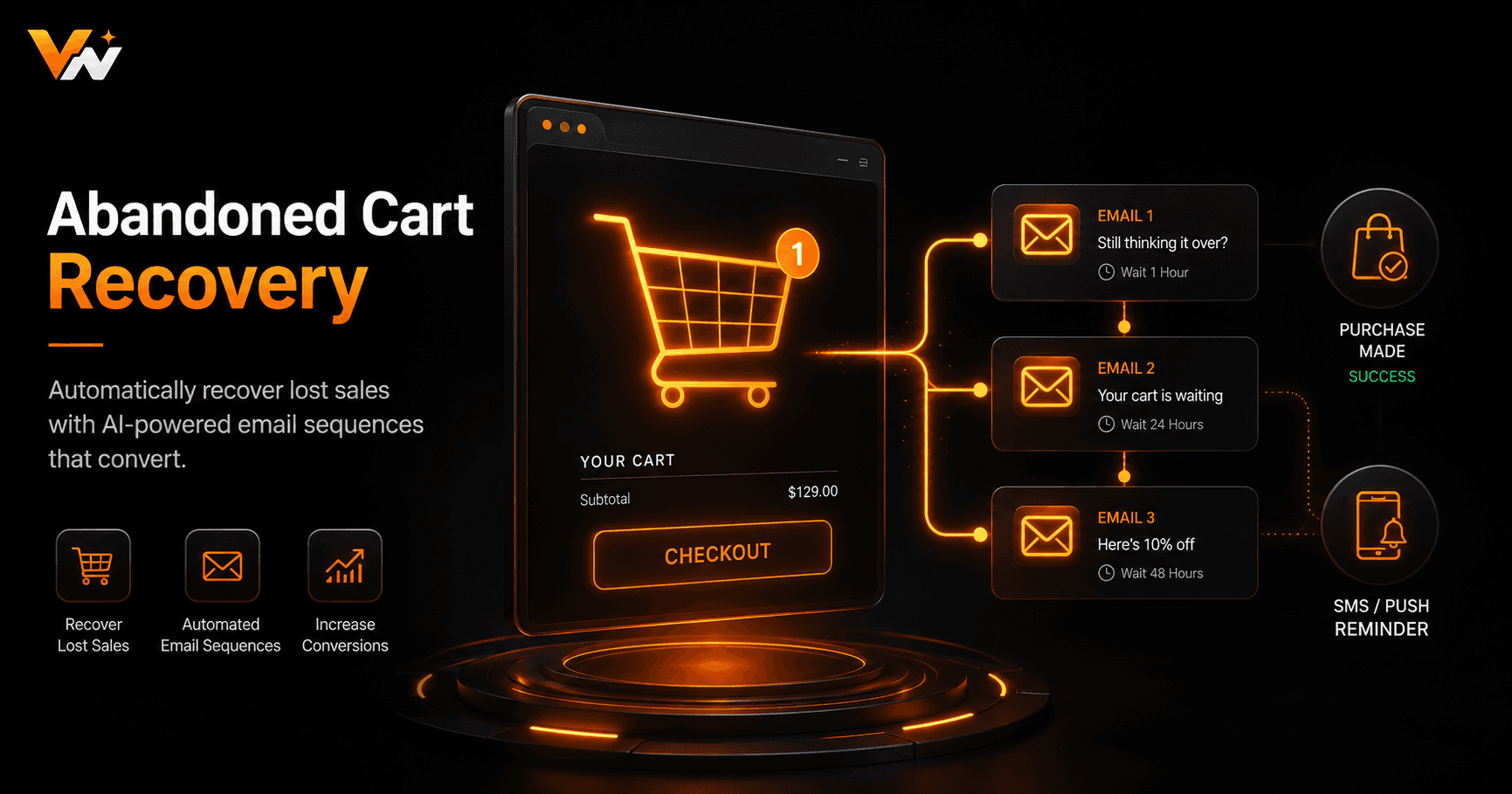
Somewhere between 70 and 80 percent of online shopping carts are abandoned before checkout. That's not a small rounding error — it's the majority of your potential revenue walking out the door. The good news: automated abandoned cart recovery consistently ranks as the highest-ROI email automation in e-commerce, and you can build it without writing a single line of code.
Why Shoppers Abandon Carts (And Why Automation Fixes It)
The top reasons shoppers abandon carts include unexpected shipping costs, being forced to create an account, a slow checkout process, and simply getting distracted. Most of these aren't signals that the customer doesn't want the product — they're friction points or timing issues. A well-timed reminder email, arriving when the shopper is back at their desk or has forgotten the shipping fee concern, converts a surprisingly high percentage of these lost carts.
Manual follow-up is impossible at scale. You can't personally email every visitor who adds something to their cart and leaves. Automation handles this silently in the background — firing the moment the abandonment condition is met, at exactly the right time intervals, personalised with the actual products left behind.
The Anatomy of a High-Converting Recovery Sequence
The most effective abandoned cart sequences use three emails spaced across 24 hours. The first email fires one hour after abandonment — a gentle, low-pressure reminder that doesn't mention a discount. At this point, many shoppers just forgot; a simple nudge with a clear checkout button recovers 20–30% of this audience on its own.
The second email fires 12–24 hours later with slightly more urgency — a “Your cart is waiting” subject line, showing the specific product images from their cart. If stock is limited, mention it here. The third email, sent 48 hours after abandonment, is where you introduce your discount (5–15% off, or free shipping). Holding the discount for the third email protects your margin — customers who would have bought at full price have already converted by now.
Building the Trigger: Detecting Abandonment
In Shopify, cart abandonment data is available via webhook events and the Shopify API. Your automation trigger should listen for a “checkout created but not completed” event, then start a timer. If an “order created” event fires for the same customer before the timer expires, cancel the sequence — they bought.
For WooCommerce, a similar pattern applies using WooCommerce webhook events. Most automation platforms — including Vendarwon Flow — can listen to these webhooks and apply the wait-then-check logic without any custom code. The key is always checking whether a purchase happened before firing the next step in the sequence.
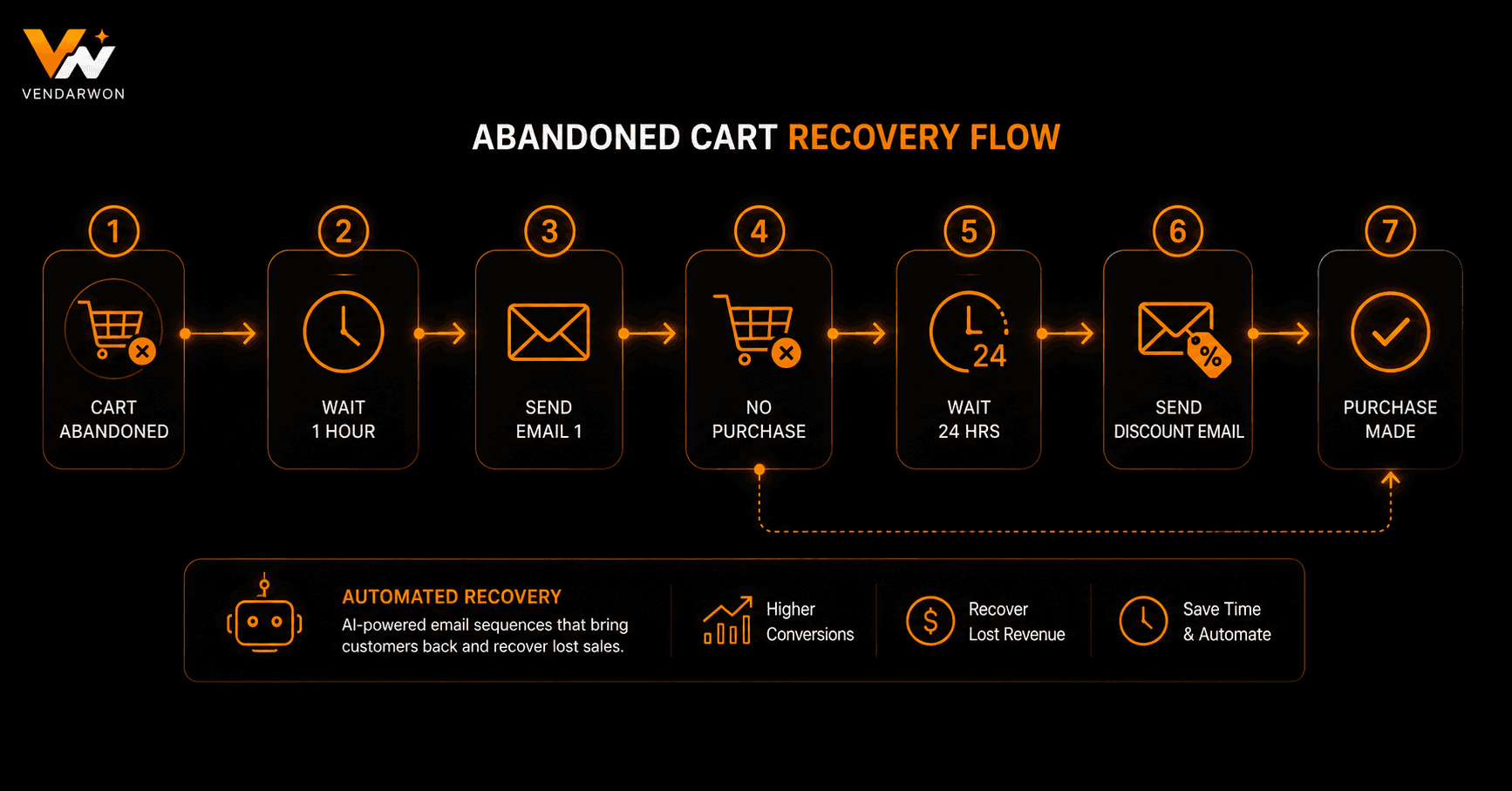
A three-email abandoned cart recovery flow with order-check branches to avoid emailing customers who already purchased
Personalising the Emails at Scale
Generic “you left something behind” emails underperform personalised ones by a factor of two or three. Your workflow should pass the specific product names, images, and prices from the cart into the email template. Most email platforms — Klaviyo, Mailchimp, ActiveCampaign — support dynamic content blocks that render per-customer product data when triggered via API.
You can go further with AI: use a prompt like “Write a friendly one-sentence reason to return to this cart, mentioning the product [PRODUCT_NAME] and its main benefit.” Run this inside your automation and inject the output into the email body. The result is a personalised nudge that feels hand-written, at zero incremental effort.
Segmenting Your Recovery Strategy by Customer Type
Not all abandoners are equal. A first-time visitor and a customer who has bought from you three times should receive different recovery sequences. Returning customers have already proven they trust you — a simple reminder is often enough. First-time visitors may need more social proof: add a short testimonial or a trust badge to their emails.
Similarly, high-value carts (above a threshold you define) can justify a more aggressive recovery effort — including a direct phone call from your sales team, triggered automatically by the same workflow. When the cart value exceeds $500, for instance, your automation can simultaneously send the email sequence and post a Slack alert to your sales rep with the customer's details.
Connecting Your Cart to Your CRM
Every cart abandonment event is a buying intent signal. Log it to your CRM so your sales team has full context. If a prospect abandons a high-value cart and you have their details in HubSpot or Pipedrive, your workflow can update the contact record, add a deal to the pipeline, and queue a follow-up task — all automatically. This transforms a passive “cart abandonment email” into an active sales pipeline signal.
Tools like Vendarwon Flow make this cross-platform orchestration straightforward: one workflow can send an email via Klaviyo, log the event to HubSpot, post a Slack notification to your team, and update a Google Sheet for reporting — triggered by a single webhook event from Shopify.
Measuring Success: The Metrics That Matter
Track recovery rate (abandoned carts that completed a purchase after receiving the sequence), revenue recovered per month, and email-by-email conversion rates. Most businesses see 5–15% of abandoned carts recovered by the first email alone. The full three-email sequence typically recovers 15–25% of recoverable carts — meaning carts where you have the customer's email address.
Review your discount redemption rate on the third email. If more than 50% of conversions use the discount code, you're training customers to abandon carts intentionally to wait for a discount. In that case, reduce the discount amount or replace it with free shipping, which feels less like a bribe.
Compliance and Best Practices
You can only send recovery emails to contacts who have provided their email address and opted in to marketing communications. In practice, this means either the customer started a checkout and entered their email (GDPR consent via checkout), or they're an existing customer who consented at account creation. Never send recovery emails to cart abandoners whose emails you captured via a pop-up without explicit marketing opt-in.
Always include a clear unsubscribe link, honour opt-outs immediately, and never send more than three emails in the sequence. Aggressive sequences with five or more emails damage deliverability and brand trust far more than the incremental revenue justifies.
FAQ
How soon after abandonment should the first email fire?
One hour is the sweet spot for the first email. Research consistently shows that 60-minute delays outperform both 30-minute (too aggressive) and 24-hour (too late) timings for the first touch.
Do I need Klaviyo for this, or can I use any email platform?
Any email platform that accepts API-triggered sends works. Klaviyo has the deepest native Shopify integration, but Mailchimp, ActiveCampaign, and Resend all work when triggered from an automation platform like Vendarwon Flow.
What's a good abandoned cart recovery rate to aim for?
Industry average is around 5–10% overall. A well-optimised three-email sequence with personalisation can reach 15–25% of recoverable carts (those where you have the email address).
Should I always offer a discount in the recovery sequence?
Not in the first two emails. Reserve the discount for the third email and only if the customer hasn't converted. Offering discounts too early trains shoppers to abandon carts deliberately.