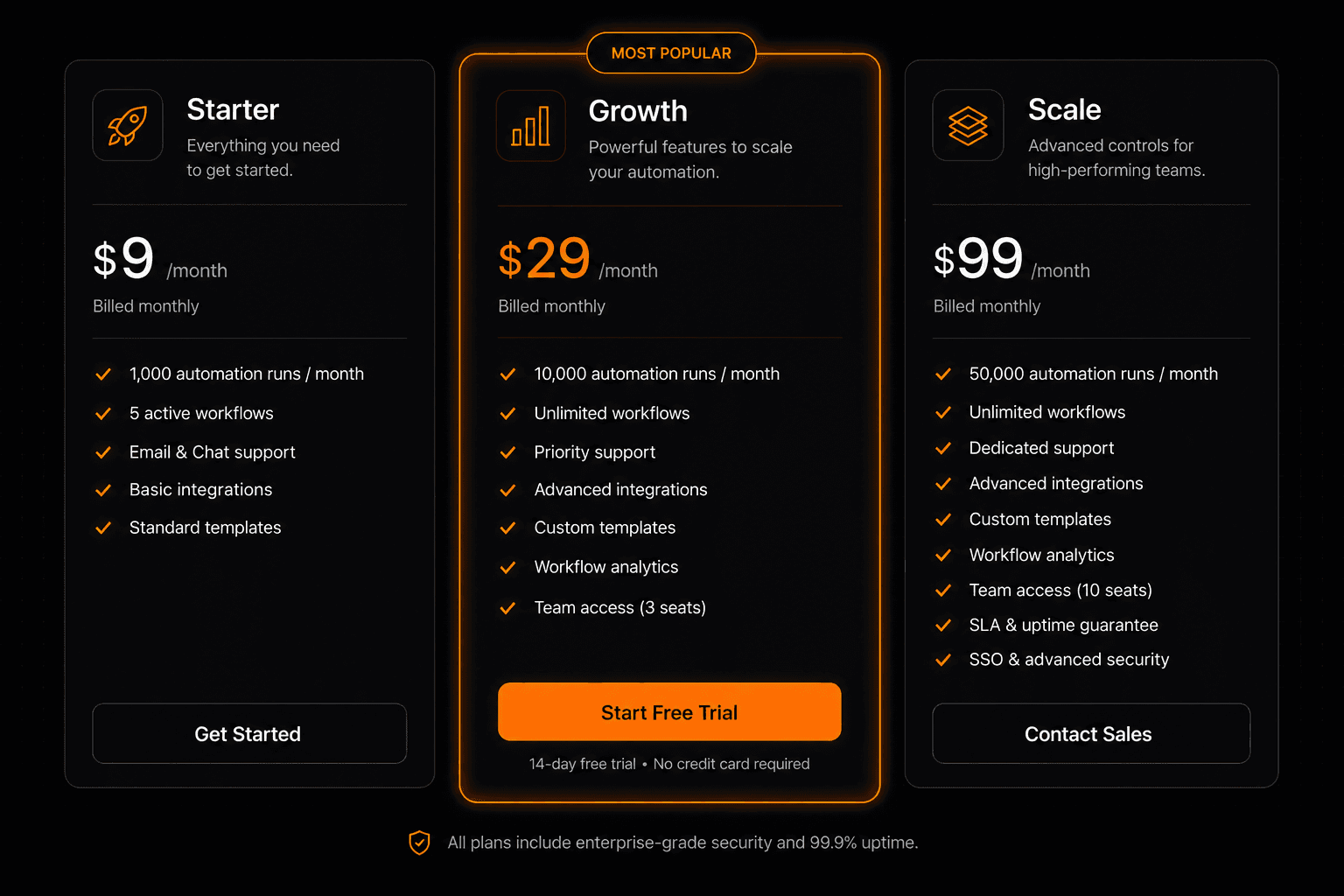
Automation pricing is confusing — task-based, operation-based, execution-based, seat-based. Before you sign up for any platform, you need to understand what you're actually paying for, how to estimate your usage, and whether the price is fair. This guide breaks down exactly how AI workflow automation pricing works in 2026 — including Vendarwon Flow's full pricing structure.
How execution-based pricing works
Vendarwon Flow (and most modern automation platforms) use execution-based pricing. An execution is one run of a workflow — from trigger to completion. If your Gmail trigger fires 50 times today and each one runs your workflow end-to-end, that's 50 executions, regardless of how many steps are in each workflow.
This is different from task-based pricing (used by Zapier) where each step in a workflow counts separately. A 5-step Zap that runs 100 times = 500 tasks on Zapier. The same workflow on Vendarwon Flow = 100 executions. For complex workflows, execution-based pricing is significantly more cost-effective.
Vendarwon Flow pricing tiers
| Plan | Price | Executions/mo | Best For |
|---|---|---|---|
| Free | $0 | 100 | Testing, personal use, first workflows |
| Starter | $9/mo | 2,000 | Freelancers, solopreneurs, side businesses |
| Growth | $29/mo | 10,000 | Growing businesses, marketing teams, agencies |
| Scale | $99/mo | 50,000 | High-volume automation, large teams |
How to estimate how many executions you need
Most people overestimate their usage when starting out. Here's a realistic way to calculate your monthly execution needs:
- List your planned workflows — e.g., Gmail alert, form-to-CRM, weekly report
- Estimate frequency per workflow — how many times per day/week will the trigger fire?
- Multiply by 30 days — to get monthly executions per workflow
- Add 20% buffer — for spikes and testing runs
Example estimate:
- Gmail alert: ~20 emails/day × 30 = 600 executions/mo
- New lead to CRM: ~10 leads/day × 30 = 300 executions/mo
- Weekly report: 4/mo = 4 executions/mo
- Shopify order alert: ~15/day × 30 = 450 executions/mo
- Total: ~1,354 + 20% buffer = ~1,625 executions/mo → Starter plan ($9/mo)
ROI break-even calculation
The simplest ROI calculation for automation:
Hours saved per month × your hourly rate = value generated
If automation saves you 5 hours per month and you bill $50/hour, that's $250 of value generated per month from a $9/month subscription. That's a 27× return on investment.
At the Growth plan ($29/month): save 15 hours/month at $50/hr = $750 value. 25× ROI.
Even at the Scale plan ($99/month), saving 25 hours/month at $50/hr = $1,250 value. 12× ROI.
When to upgrade your plan
Here's how to know when it's time to move up:
- Free → Starter: When you're consistently hitting the 100 execution limit and your automation is actually running in production (not just testing).
- Starter → Growth: When you have 3+ active workflows running daily and you start seeing execution limits throttle your automations. Also when you need multi-agent features.
- Growth → Scale: When you're processing large volumes (e-commerce at scale, high-frequency triggers, large audience email workflows).
Annual pricing — save 20%
Vendarwon Flow offers annual billing at a 20% discount: Starter at $7/mo, Growth at $23/mo, Scale at $79/mo. If you're using automation seriously, annual billing pays for itself in two months.
Start free — upgrade when you need to
Vendarwon Flow's free plan includes 100 executions/month — enough to run real automations and see measurable time savings before spending a cent.
Start building →