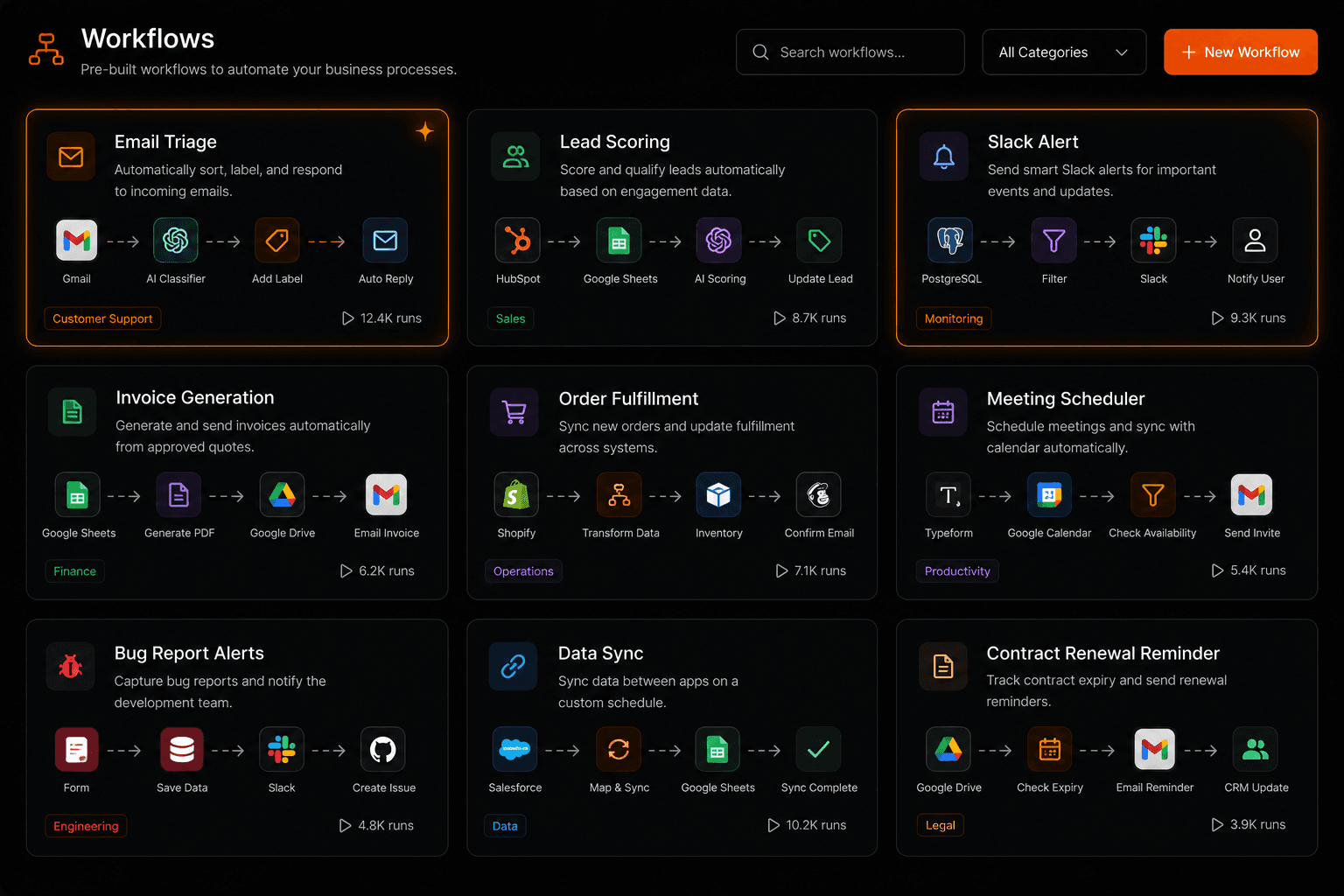
The best way to understand what AI workflow automation can do is to see it working on real problems. Here are 10 examples of actual automations businesses are building in 2026 — with the trigger, the key steps, and the result each one delivers. All of these can be built on Vendarwon Flow by describing them in plain English.
1. Email triage and auto-reply
Trigger: New email arrives in Gmail
Actions: AI reads the email, classifies intent (support / sales / billing / other), drafts a personalized reply based on the category and email content, sends the reply automatically for routine questions, flags complex cases for human review
Result: 80% of routine emails answered instantly, response time drops from hours to seconds, inbox zero maintained automatically
2. Lead scoring and CRM routing
Trigger: New form submission via webhook
Actions: AI scores the lead 1–10 based on company size, role, and message intent. Score > 7: create HubSpot deal + Slack sales alert with AI-generated summary. Score 4–7: add to email nurture sequence. Score < 4: archive in CRM only
Result: Sales team sees only qualified leads, response time to hot leads drops from hours to under 2 minutes
3. Slack alert for new orders
Trigger: New order in Shopify
Actions: Extract order details (customer name, product, value, location), post formatted Slack message to #orders channel, tag the relevant fulfillment person if order is above $200
Result: Team knows about every order instantly, no one needs to check the Shopify dashboard manually
4. Invoice generation from form
Trigger: New row added to Google Sheets (project completion form)
Actions: AI generates invoice content from project details, creates a PDF invoice via HTTP request to invoice API, emails the invoice to the client, logs the invoice number and amount in Airtable
Result: Invoices sent within minutes of project completion, zero manual document creation
5. Meeting scheduler from email
Trigger: New email containing keywords like “schedule a call”, “book a meeting”, “let's connect”
Actions: AI extracts the requester's name and context, sends an auto-reply with a calendar booking link, logs the request in a Google Sheet for tracking
Result: Meeting requests handled instantly, no back-and-forth email negotiation
6. Bug report to GitHub issue
Trigger: New support ticket containing product-related technical issues
Actions: AI classifies the ticket as a bug (vs feature request vs support question), extracts reproduction steps from the ticket body, creates a GitHub issue with a structured title, description, and labels, replies to the ticket with the issue link
Result: Bugs automatically tracked in GitHub, developers see issues immediately, customers receive a ticket reference
7. Airtable to Google Sheets data sync
Trigger: New or updated record in Airtable (via webhook)
Actions: Extract all relevant fields from the Airtable record, find or create the matching row in Google Sheets using the record ID, update all synced fields, log the sync timestamp
Result: Both systems stay in sync automatically, finance team uses Sheets while operations uses Airtable — both always current
8. Contract renewal reminders
Trigger: Scheduled — runs daily at 8am
Actions: Query Airtable for contracts with renewal dates in the next 30 days, generate a personalized renewal reminder email for each, send via Gmail, log outreach in the CRM
Result: No contract renewals missed, clients receive timely communication, renewal rate improves
9. Customer support ticket triage
Trigger: New support ticket via webhook (Intercom, Zendesk, or email)
Actions: AI reads the ticket and assigns a category (billing, technical, account, general), scores urgency 1–5, routes high-urgency tickets to a senior agent via Slack, auto-replies to low-urgency tickets with a relevant help article link
Result: Support team focuses on complex issues, routine tickets handled automatically, average response time cut by 70%
10. Weekly analytics digest
Trigger: Scheduled — every Monday at 7am
Actions: Fetch data from Google Sheets (or Analytics API), pull top metrics (visits, conversions, revenue, CAC), AI generates a concise executive summary with week-over-week commentary, emails the digest to stakeholders, posts a summary in a Slack channel
Result: Leadership starts every week with context, no one spends time building reports manually
Build any of these in minutes
Open the Vendarwon Flow chat builder, describe the workflow you want, and the AI builds it. All 10 examples above can be live in under 20 minutes each.
Start building →