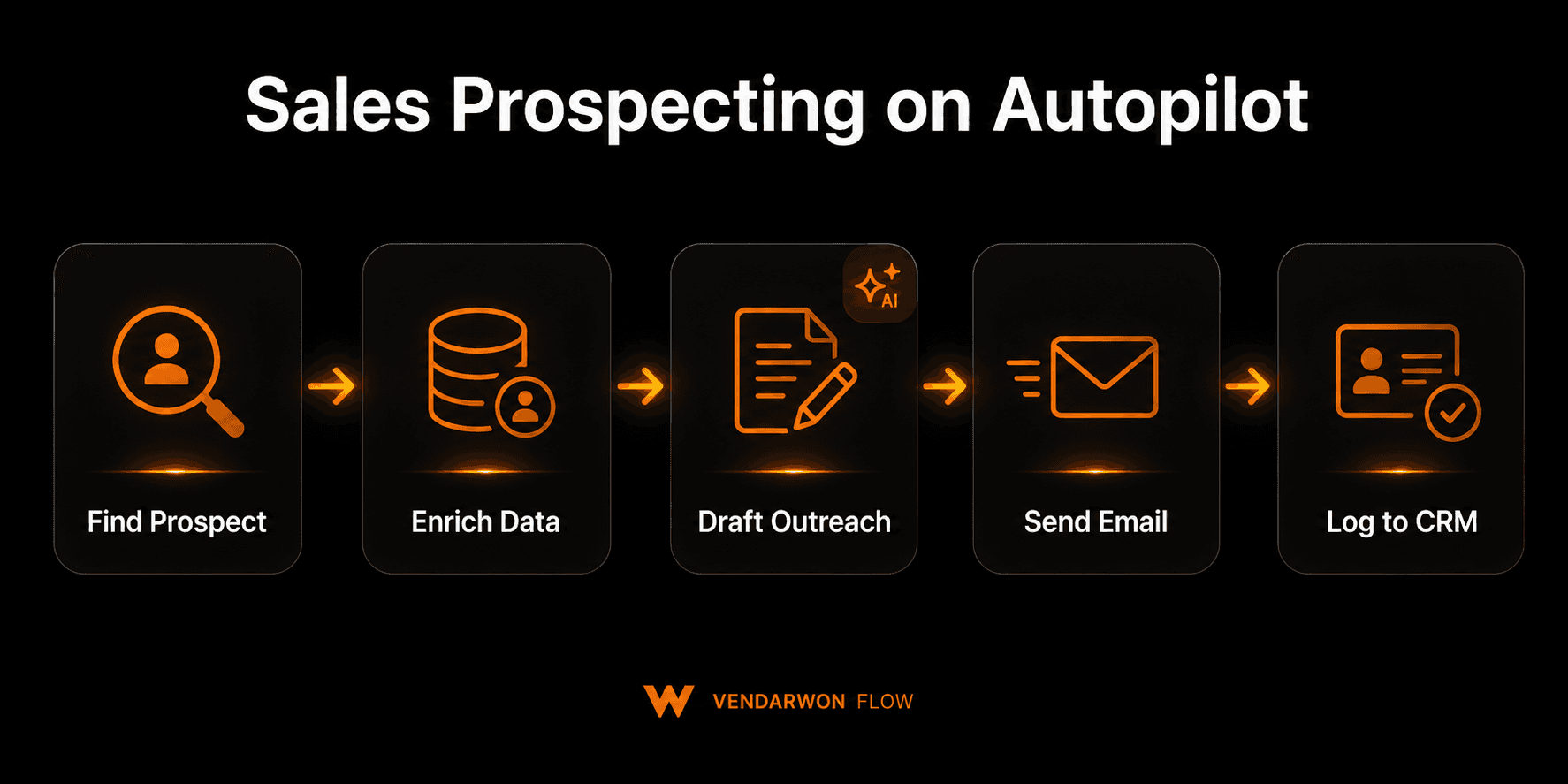
The hardest part of outbound sales isn't the pitch — it's finding the right people, getting enough context to personalize your outreach, and staying consistent across hundreds of simultaneous prospects. Automated prospecting pipelines handle all three. Here's how to build a five-step pipeline that finds prospects, enriches their data, drafts personalized outreach, sends it, and logs everything to your CRM — running continuously in the background while your team focuses on the conversations.
The 5-step automated prospecting pipeline
Step 1: Find
Prospecting starts with sourcing. In an automated pipeline, this can be triggered by a data feed (a CSV import, a new row added to a Google Sheet, a webhook from a prospecting tool) or a scheduled workflow that pulls from a target list. The key is having a consistent source of prospect data that feeds the pipeline without requiring someone to manually kick it off each time.
Common sources: LinkedIn Sales Navigator export, Apollo.io or Hunter.io list, a Google Sheet of target companies, a webhook from your ICP filter applied to a company database.
Step 2: Enrich
A basic prospect record has a name and email. A useful one has the company's recent funding news, their tech stack, their LinkedIn headline, the number of employees, and the specific pain point relevant to your product. Enrichment APIs (Clearbit, Apollo, Hunter) can fill most of this in automatically given just a company domain.
In the workflow, an HTTP Request node calls the enrichment API and stores the response. The AI node then reads the enriched data and identifies the most relevant personalization hook for this specific prospect.
Step 3: Draft
This is where AI makes automated prospecting qualitatively different from mass email blasting. The AI node receives the full enriched prospect profile and generates a personalized first-contact email based on your outreach framework.
A good prompt structure: give the AI the prospect's name, title, company, recent company news or signals, and the specific problem your product solves. Ask it to write a 4-sentence cold email that references the signal specifically, connects it to the problem, and makes a low-friction ask. The result reads like a rep wrote it for that specific person — because the AI is reasoning about that specific person.
Step 4: Send
The drafted email passes through a short review window — either a human approval node where a rep can edit before sending, or automatic sending if you've validated your AI prompt produces consistently good output. Emails send via Gmail, Resend, or SendGrid with proper deliverability settings (SPF, DKIM, personalized subject, reply tracking).
Vendarwon Flow's Gmail integration sends from your actual Gmail account — not a third-party sender — which maintains your sender reputation and keeps emails out of spam.
Step 5: Log
Every sent email, prospect profile, AI score, and send timestamp is logged to your CRM automatically. HubSpot contact created, deal created if qualified, email activity logged to the timeline. If the prospect replies, the reply detection node fires and alerts the relevant rep in Slack with the full conversation context.
Compliance: CAN-SPAM and GDPR
Automated prospecting must be compliant with applicable regulations. Key requirements:
- CAN-SPAM (US): Every email must include your physical address and an unsubscribe mechanism. Subject lines cannot be deceptive. Unsubscribes must be honored within 10 business days. Vendarwon Flow can include these automatically in every outbound email template.
- GDPR (EU): B2B outreach to individual company email addresses (not personal Gmail) is generally permissible under legitimate interest, provided the outreach is relevant to the prospect's professional role. You must provide an opt-out mechanism and honor removal requests promptly.
- Volume limits: Sending hundreds of cold emails per day from a single Gmail account risks account suspension. Keep automated sends under 100–150/day per account. For higher volumes, distribute across multiple sending accounts.
What results to expect
Automated prospecting pipelines, when properly tuned, typically achieve:
- Open rates: 28–45% (personalized subject lines beat generic blasts significantly)
- Reply rates: 5–12% for relevant, well-personalized first-contact emails
- Time saved: 4–6 hours per rep per week on manual research and drafting
- Consistency: 100% of target prospects contacted vs. ~60% with manual outreach
The biggest gain is consistency. A rep manually prospecting will have high-effort weeks and low-effort weeks. An automated pipeline runs at the same rate every day regardless of what else is happening.
Building it on Vendarwon Flow
The entire five-step pipeline can be built on Vendarwon Flow with a combination of trigger, HTTP request, AI, delay, condition, and action nodes. You describe it once — “For each new row added to my target list Google Sheet, enrich the company data via Apollo, draft a personalized cold email with AI, send it via Gmail, and log the send to HubSpot” — and Vendarwon Flow generates the workflow structure automatically.
The ForEach node handles batch processing: if you add 50 new prospects to the sheet at once, the workflow processes all 50 sequentially, each getting its own enrichment call and AI-drafted email.
Follow-up sequences can be chained: the initial send triggers a 3-day delay, checks for a reply, and sends a follow-up if no response — all within the same workflow or as a linked second workflow.
Frequently asked questions
Will AI-drafted emails sound robotic?
Not if the prompt is well-designed. The key is giving the AI enough specific context — company news, job title, relevant signal — and asking for short, direct output. Avoid prompts that produce flowery or corporate-sounding language by explicitly instructing the AI to write conversationally.
How do I prevent sending to the same prospect twice?
Log every prospect's email address to your CRM immediately upon pipeline entry. Add a CRM lookup step at the start of the workflow: if the email already exists as a contact with a sent activity, skip the prospect and log a “duplicate skipped” note.
Build your prospecting pipeline today
Describe your five-step prospecting pipeline in plain English and Vendarwon Flow builds it — enrichment, AI drafting, Gmail send, CRM logging, and follow-up sequences. Free plan available.
Start building →