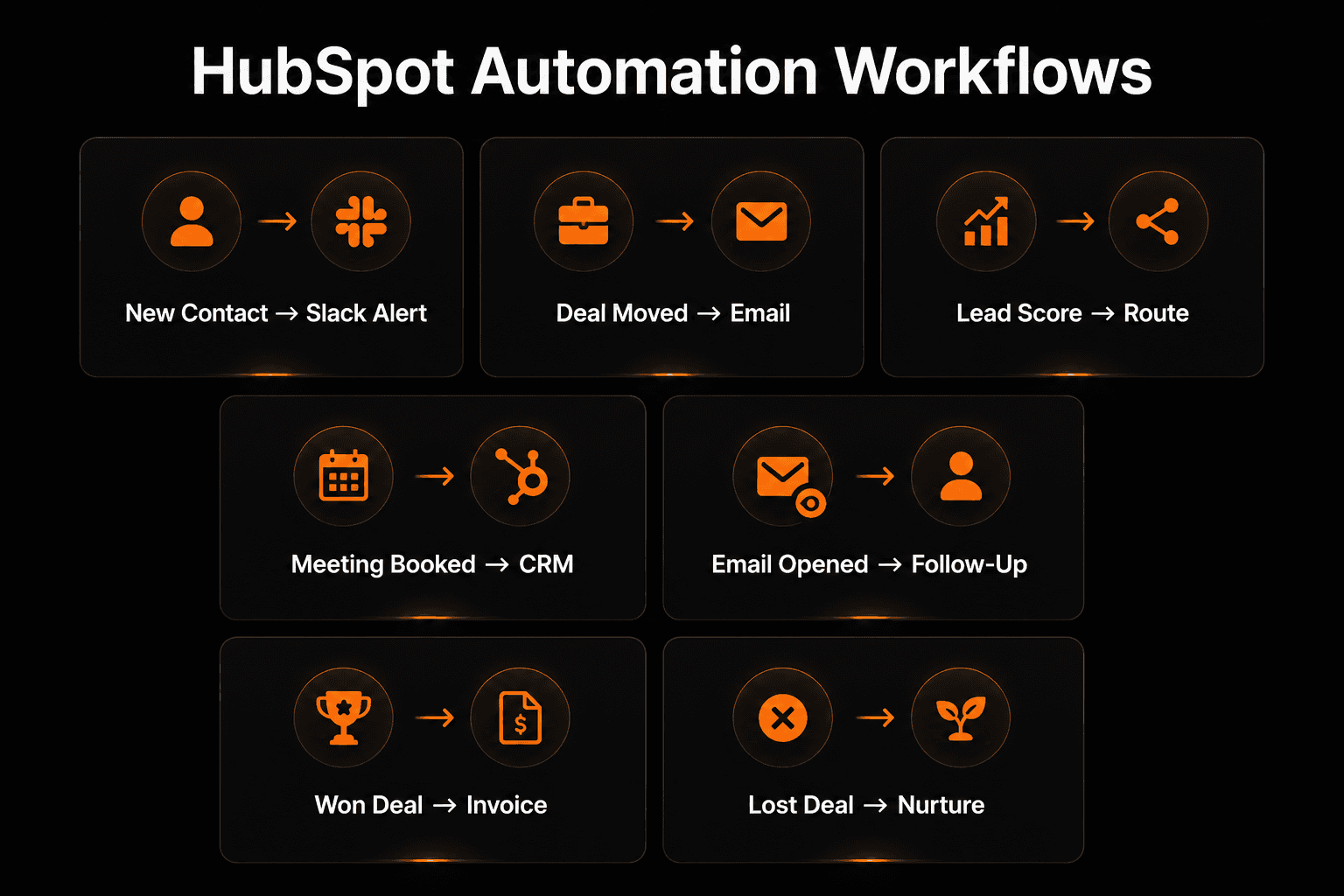
HubSpot has powerful native automation features — sequences, workflows, deal pipelines. But most sales teams only use 20% of what's available, and HubSpot's built-in automation doesn't extend easily to external tools like Slack, AI nodes, or custom logic. These 7 workflows are the ones that top-performing teams build first — and how to extend them with AI using Vendarwon Flow.
Workflow 1: New Contact → Slack Alert
Trigger: A new contact is created in HubSpot (from a form, import, or manual entry).
Actions: Pull the contact's name, company, email, and the form they submitted. Format a Slack message and post it to your #sales-leads channel with a direct link to the HubSpot contact record.
Why it matters: Speed-to-lead is the single most important factor in B2B conversion. Companies that respond to a new lead within 5 minutes are 21x more likely to qualify them than companies that wait 30 minutes. This workflow makes that 5-minute response possible at any lead volume, without anyone watching a dashboard.
Workflow 2: Deal Moved → Email Notify
Trigger: A deal in HubSpot moves from one pipeline stage to another (e.g., Qualified → Proposal Sent).
Actions: Send a formatted email to the deal owner and the sales manager summarizing the deal name, the previous stage, the new stage, deal value, and next steps. Optionally post to a Slack channel.
Why it matters: Managers get real-time visibility without requiring status meetings. Deal owners get a confirmation that their update was registered. The entire team stays aligned without anyone manually sending update emails.
Workflow 3: Lead Score → Auto-Route
Trigger:A contact's HubSpot lead score crosses a threshold (e.g., reaches 50+).
Actions:Using Vendarwon Flow's AI node, evaluate additional signals from the contact's profile (company size, job title, industry). Assign the contact to the appropriate rep based on territory or specialty. Send a Slack alert to that rep with a one-paragraph AI-generated briefing on the lead.
Why it matters: Manual lead routing creates bottlenecks and inconsistent assignments. Automated routing ensures hot leads always reach the right person instantly, with enough context to respond intelligently on the first call.
Workflow 4: Meeting Booked → CRM Update
Trigger: A meeting is scheduled (via HubSpot Meetings, Calendly, or Google Calendar).
Actions:Update the associated HubSpot deal to the “Meeting Scheduled” stage. Create a follow-up task due 30 minutes before the meeting. Add a note to the contact record with the meeting details. Send a preparation briefing to the rep: company background, recent activities, open deal value.
Why it matters: Reps who show up to discovery calls prepared with context close at significantly higher rates. This workflow ensures that context arrives automatically, without the rep spending 20 minutes manually researching before every call.
Workflow 5: Email Opened → Follow-Up Trigger
Trigger: A prospect opens a sales email (tracked via HubSpot email tracking or a custom webhook).
Actions:Send a Slack notification to the rep: “[Contact name] just opened your proposal email — good time to follow up.” If the email was opened 3+ times in the same session (strong buying signal), escalate the alert and suggest a same-day call.
Why it matters: Email opens are intent signals. A prospect who opens your proposal three times is mentally engaging with it. Reaching out within hours of that behavior catches them while the topic is top of mind — and converts at dramatically higher rates than a generic follow-up scheduled for next Tuesday.
Workflow 6: Won Deal → Invoice Creation
Trigger:A deal in HubSpot is marked as “Closed Won.”
Actions:Extract the deal value, contact details, and product line from the HubSpot deal. Create a draft invoice in your invoicing tool (QuickBooks, Stripe, or a Google Sheet). Send the invoice to the client automatically. Create an onboarding task in ClickUp or Notion. Post a “Won!” message to your team Slack channel.
Why it matters: The moment a deal closes is when momentum is highest and delays are most costly. Automating the first 10 post-sale steps means clients receive professional onboarding immediately, reducing churn risk and setting the relationship off on the right note.
Workflow 7: Lost Deal → Nurture Sequence
Trigger:A deal in HubSpot is marked as “Closed Lost.”
Actions: Log the loss reason (pulled from the HubSpot deal field). Start a 90-day re-engagement sequence: a check-in email at 30 days, a relevant case study at 60 days, and a personal outreach from the rep at 90 days. If they open any of these emails, alert the rep.
Why it matters:20–30% of lost deals close within 12 months if the relationship is maintained. Most companies let lost deals go completely cold. A structured nurture sequence keeps you on the radar so when their contract with a competitor expires, or their needs change, you're the first call they make.
How Vendarwon Flow extends HubSpot's native automation
HubSpot's built-in workflows are strong for in-HubSpot actions — updating deal stages, sending HubSpot emails, creating tasks. Where they fall short:
- No native Slack integration with formatted message control
- No AI node for intelligent scoring, briefing generation, or personalization
- Limited cross-tool logic (HubSpot can't natively trigger a ClickUp task or a Google Sheets row)
- No delay-and-check logic for reply detection
Vendarwon Flow sits alongside HubSpot as the orchestration layer. Webhooks from HubSpot trigger Vendarwon workflows that extend the logic into Slack, Gmail, Notion, Google Sheets, and any other tool in your stack — with AI nodes at any step and conditional branching for complex routing.
You describe the workflow in plain English, review the generated flow, and activate it. No HubSpot Operations Hub subscription, no developer, no complex configuration.
Build HubSpot automation that goes beyond native limits
Connect HubSpot to Slack, Gmail, Notion, and 40+ more tools with AI-powered workflows built from plain English. No Operations Hub required.
Start building →